

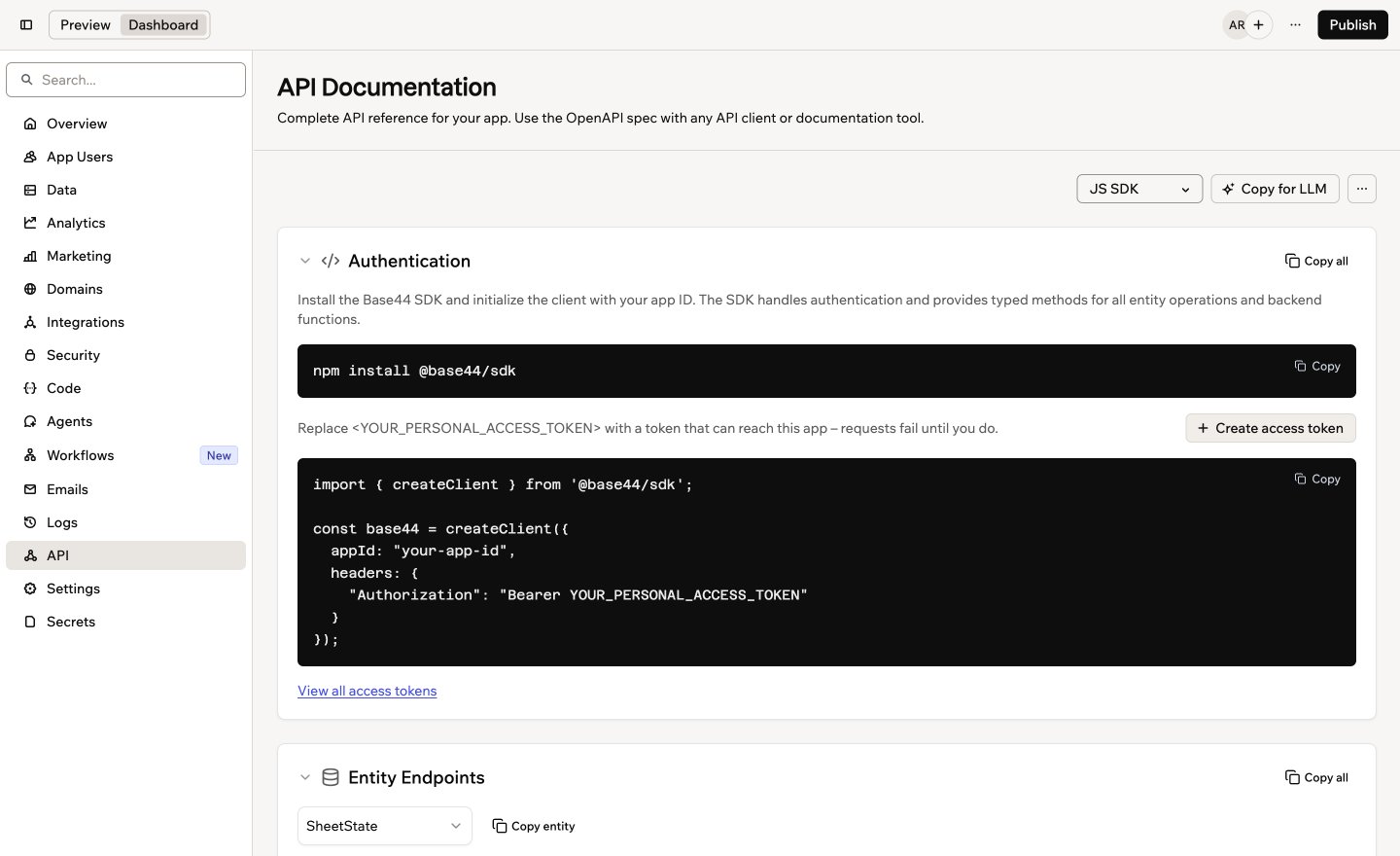
The API page in your app's dashboard
Opening the API page
The API page lives in your app dashboard, next to your app’s data and logs. To open the API page:- Click Dashboard in your app editor.
- Click API.
- Choose a language from the drop-down at the top of the page: JS SDK, JS Fetch, cURL, or Python.
What’s on the page
The page is split into sections, and each code sample updates when you change the language:- Authentication: How other tools sign in to your app. Requests use a personal access token. If you don’t have one yet, click Create access token in this section. If you chose JS SDK, this section shows how to install the Base44 SDK and set it up with your app’s ID instead.
- Entity Endpoints: Each table in your app, with its Schema and Endpoints side by side. Click Copy entity to copy one table’s reference, or Copy all to copy every table. To copy code for reading or updating one table, see connecting your data to another app.
- Backend Functions: How to run your app’s backend functions from another tool.
- App Agent: How to talk to your app’s in-app agent, such as starting a conversation, sending messages, and getting replies.
Good to know:
- An entity is a table of data in your app, such as Tasks or Orders.
- An endpoint is the address another tool sends a request to.
- An access token works like a password for your app’s API.
- OpenAPI is a standard file format that API tools understand.
Getting help from AI
The easiest way to use your app’s API is to let an AI coding assistant write the code for you. Copy for LLM copies your app’s full API reference in a format AI tools understand, so the code it writes matches your app. To get an AI assistant to write code for your app’s API:- Click Dashboard in your app editor.
- Click API.
- Click Copy for LLM.
-
Paste it into your AI coding assistant, then describe what you want to build. For example:
- When the code is ready, click Create access token on the API page and add the token where the code asks for it.
Downloading the OpenAPI spec
Download your app’s API reference as an OpenAPI file to use it in an API client or documentation tool. To download the OpenAPI spec:- Click Dashboard in your app editor.
- Click API.
- Click the More actions icon .
- Click Download OpenAPI Spec.
The API page always matches your app as it is now. When you add or change tables, backend functions, or agents, the page and the files you export include the change.
Going further
If you’re a developer, the developer docs cover your app’s API and the Base44 SDK in depth.Base44 SDK overview
Set up the SDK and learn how it works with your app.
Working with data
Read, create, update, and delete records in your app’s tables from code.
Entities
Define and secure the tables behind your app’s API.
Personal access tokens
Create and manage the tokens your scripts and tools use to sign in.