

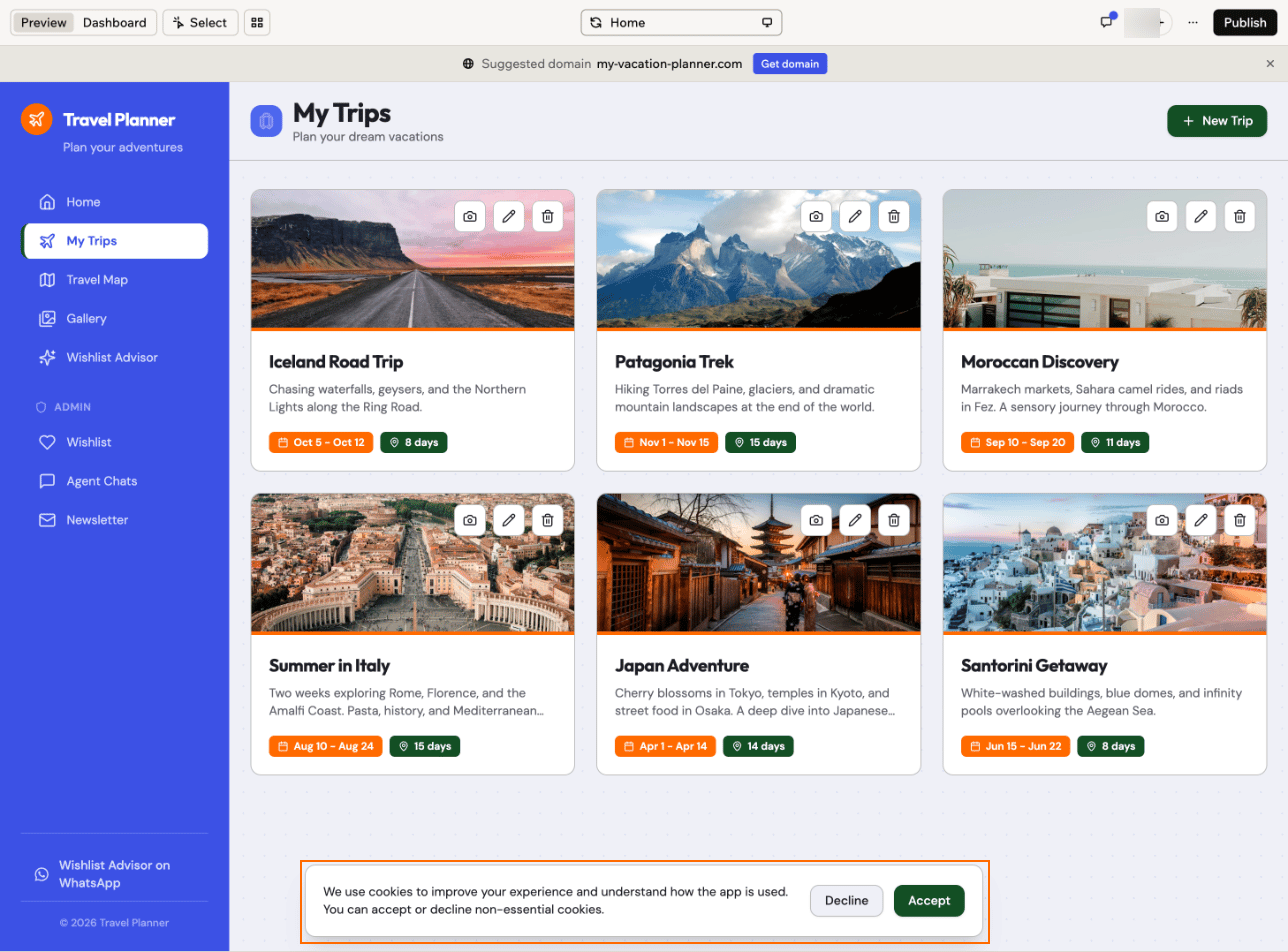
A cookie banner built by the AI chat
What Base44 tracks
Visitor tracking covers everything Base44 adds to your published app to follow visits:- Visits and page views: What you see in App Analytics.
- Custom events: Actions you chose to track in App Analytics, such as sign-ups or button clicks.
- Where visitors came from: A cookie remembers which link or website brought each visitor, for 30 days. Safari may clear it after 7 days.
- Session recordings: Only if you turned them on.
- Ad tracking: Code that tells an ad platform when someone arrives from your ad, such as the Meta, LinkedIn, TikTok and ChatGPT Ads pixels and Google Ads conversions. Only if you connected an ad account to Base44, for example for Google Ads campaigns.
How visitor tracking works
Cookies are small files that Base44 saves in a visitor’s browser, so it can recognize them as they move around your app and when they come back. The visitor tracking setting decides when Base44 saves them. You can choose from 3 options:On: tracks every visitor
On is the default for every app. Base44 saves its cookies and starts tracking as soon as someone opens your app, without asking. Visitors can’t decline, even if your app has a cookie banner. If you don’t need to ask your visitors for consent, keep this setting and you don’t need to do anything.On after visitor consent: waits for the banner
With On after visitor consent, Base44 waits until a visitor accepts cookies in your cookie banner before it saves cookies or tracks the visit. Visitors who decline or ignore the banner aren’t tracked, so App Analytics, session recordings and ad tracking only include visitors who accept, and your visitor numbers will be lower than before. This option only works with a cookie banner. To set it up, follow Step 1 and Step 2 below.Off: doesn’t track anyone
With Off, Base44 doesn’t track your visitors at all. It saves no tracking cookies, App Analytics doesn’t count visits, and sessions aren’t recorded. Base44 also blocks tracking code you added yourself, such as Google Analytics or the Meta Pixel. To turn it off, see turning tracking off.Step 1 | Add a cookie banner
Ask the AI chat to build a cookie banner for your app. The banner asks visitors to accept or decline cookies, and it tells Base44 what each visitor chose through Google Consent Mode, a standard way for a banner to pass on a visitor’s choice. It also adds a Cookie settings link, so visitors can change their choice later.- Your app already has a banner: Ask the AI chat to
Make my cookie banner send the visitor's choice through Google Consent Mode.Then publish your app and go to Step 2. - You use your own consent tool: Turn on its Google Consent Mode option, then go to Step 2.
- Go to your app editor.
-
Ask the AI chat to add a cookie banner, for example:
- Check the banner in the preview, then publish your app.
Step 2 | Make tracking wait for consent
Set visitor tracking to On after visitor consent, so Base44 tracks a visitor only after they accept cookies in your cookie banner. The change applies to your published app right away, so you don’t need to publish again. If your app has no live banner, no visitor can accept, so App Analytics counts no visits at all. To make Base44 wait for consent:- Go to your app editor.
- Click Dashboard.
- Click Settings in the left menu.
-
Under Advanced Capabilities, find Visitor tracking.
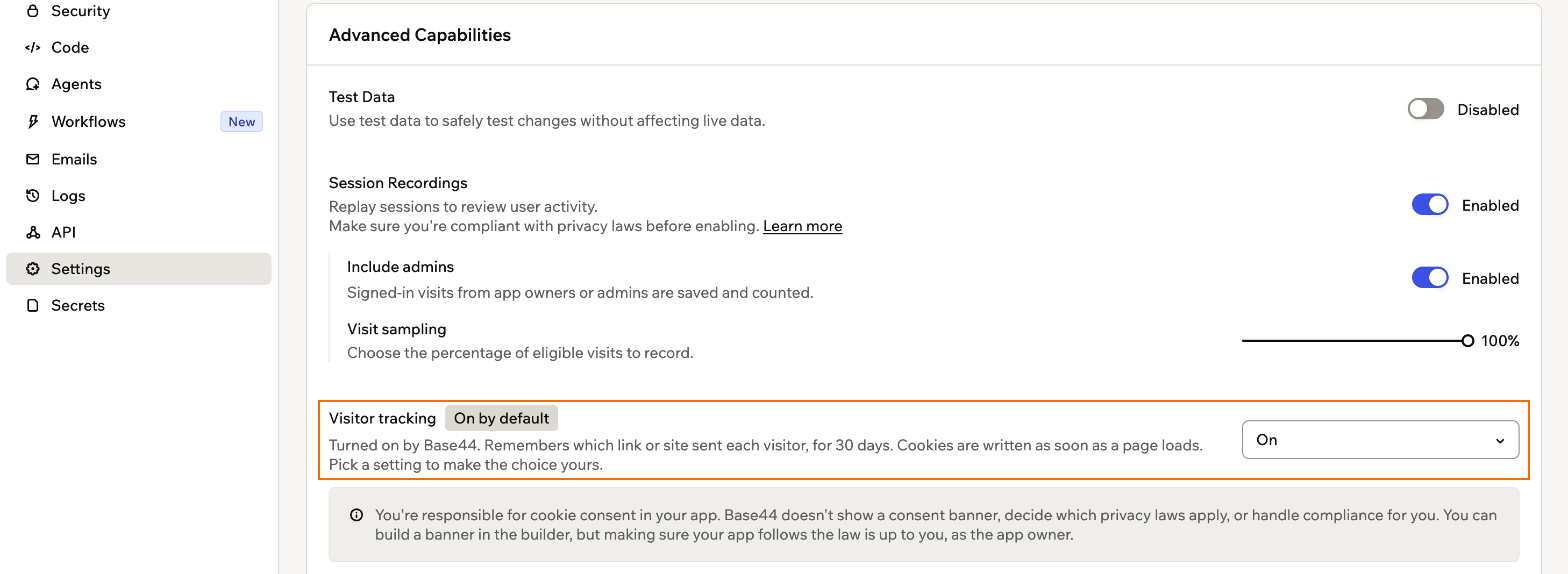
The visitor tracking setting in your app's dashboard
-
Click the drop-down and choose On after visitor consent.
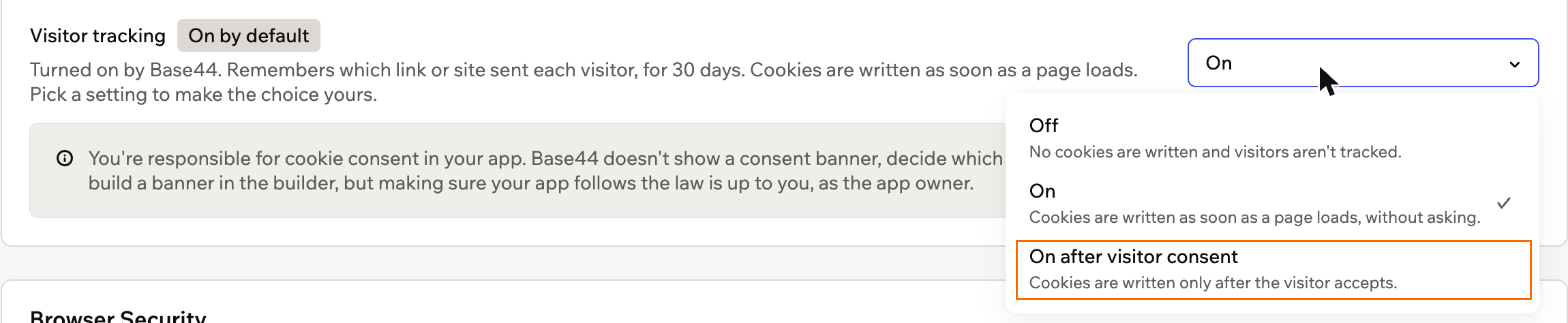
Choosing On after visitor consent
-
Select the checkbox to confirm you’re responsible for cookie consent, then click Turn on.
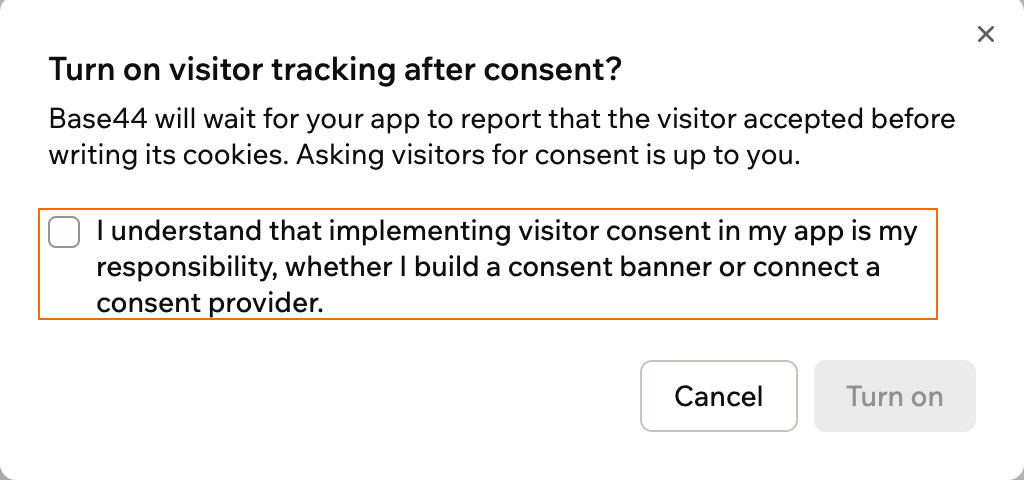
Confirming that you're responsible for consent
Turning tracking off
Turn visitor tracking off if you don’t want Base44 to track your visitors at all. To turn tracking off:- Go to your app editor.
- Click Dashboard.
- Click Settings in the left menu.
- Under Advanced Capabilities, click the Visitor tracking drop-down and choose Off. It saves right away, with nothing to confirm.
FAQs
Click a question below to learn more.What happens when a visitor accepts or declines?
What happens when a visitor accepts or declines?
With On after visitor consent, Base44 counts and records a visit only after the visitor accepts analytics cookies, which cover App Analytics and session recordings. It loads ad tracking from ad accounts you connected only after they accept ad cookies. A banner with just Accept and Decline asks about both at once. If you want visitors to choose separately, ask the AI chat to add those options to your banner.If a visitor declines, Base44 doesn’t track them. Visitors can change their choice at any time with the Cookie settings link the AI chat adds to your banner.
Does On after visitor consent cover tracking code I added myself?
Does On after visitor consent cover tracking code I added myself?
No. Only turning visitor tracking off changes tracking code you added, by blocking it. Code such as Google Analytics or the Meta Pixel still loads for every visitor unless you set it up to wait for consent. Ask the AI chat to make it wait for your cookie banner, or use your provider’s consent settings. Learn more about adding tracking scripts.
How do I go back to tracking everyone?
How do I go back to tracking everyone?
Follow the steps in Step 2, but choose On. Then select the checkbox and click Turn on.
I built my app a while ago. Do I need to do anything?
I built my app a while ago. Do I need to do anything?
Publish your app again after you change the setting. Apps published before this setting existed keep sending App Analytics data until you publish them again.
Why does the setting say Paused?
Why does the setting say Paused?
Base44 has paused visitor tracking for all apps, so no cookies are set and you can’t change the setting for now. Your setting applies again once tracking resumes.