

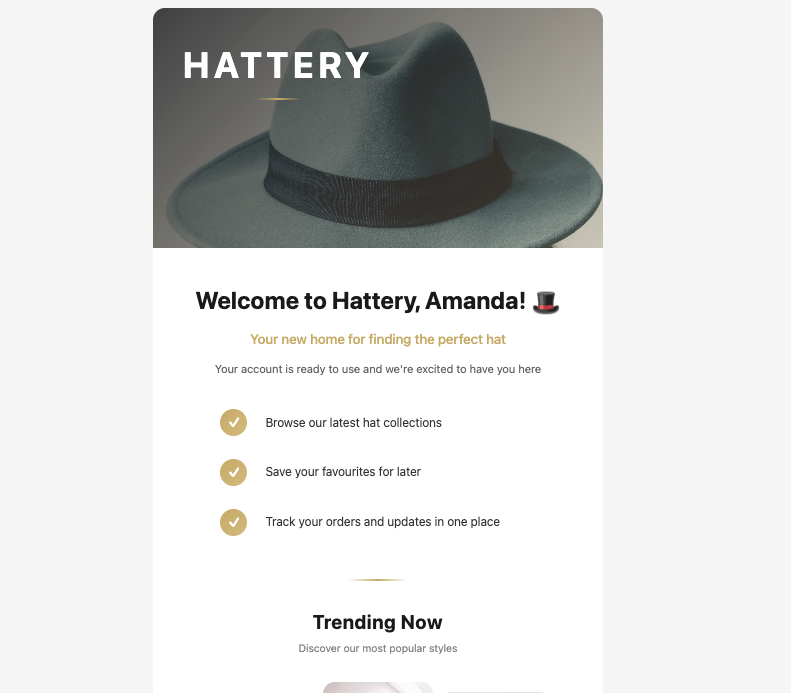
A welcome email sent from a Base44 app
Base44 built-in emails
Base44’s built-inSendEmail integration comes preinstalled in every app and needs no extra setup or API keys. It lets you send transactional emails from your app, customize the sender name that appears in the recipient’s inbox, and include plain text or rich HTML content in the email body.
You can ask the AI chat to set this up for you, for example by saying When someone signs up, send them a welcome email. Base44 calls the built-in email integration, which you can edit and test using the AI chat or from Code in your dashboard.
To make these emails look like your app, design them from Emails in your dashboard. Learn more about designing your app’s emails.
Who you can email
On any plan, including the Free plan, your app can email anyone who has signed up to it. To email an address that has not signed up, your app needs to be on a paid plan and have a custom domain connected and verified. Each of these emails goes to one recipient at a time. This is your app’s own custom domain, the one your app is served on, not a custom email sending domain. If an email is not sent, it appears in your app logs with the reason, so you can see whether the plan, the custom domain, or a sending limit stopped it.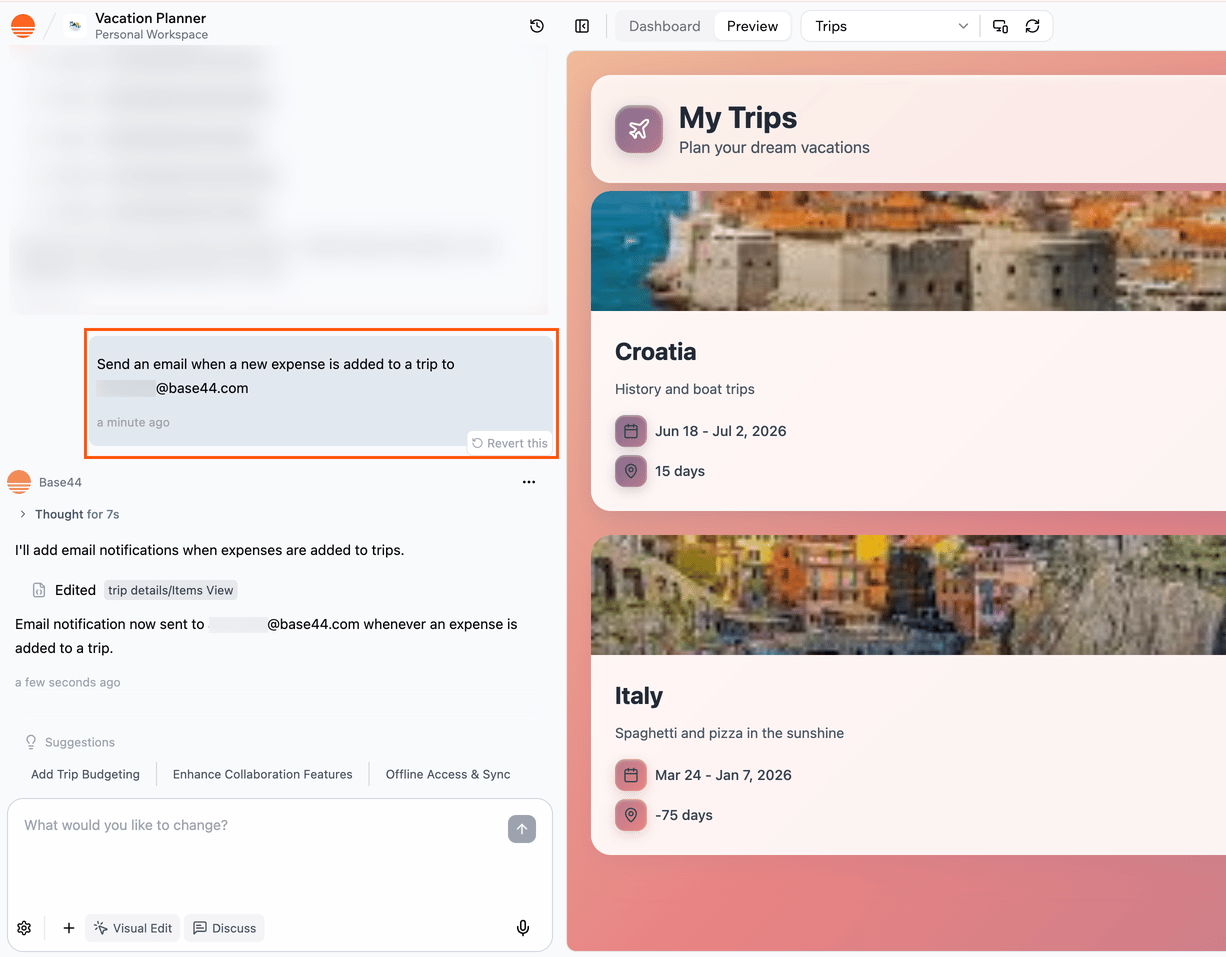
Setting up email with the AI chat
Notes:
- Built-in emails do not support external mailing lists. They can include up to 5 file attachments, such as PDFs, images, CSV, Word, or Excel files, up to 5 MB each and 10 MB in total.
- If you want built-in emails to come from a branded address instead of a generic sender, you can connect a custom email domain so messages send from an address like support@your-domain.com. See more below.
- Standard emails that use the default sending domain typically consume ~1 integration credit per email, while emails sent from a custom email domain consume ~2 integration credits.
Resend external integration
Resend is an external email delivery service that you connect to Base44. When you use Resend, emails are sent through your own Resend account rather than Base44’s built-in email delivery.Note: Resend is an external service, and Base44 does not provide support for issues related to Resend.
Note: The Resend integration is available on the Builder plan and above.
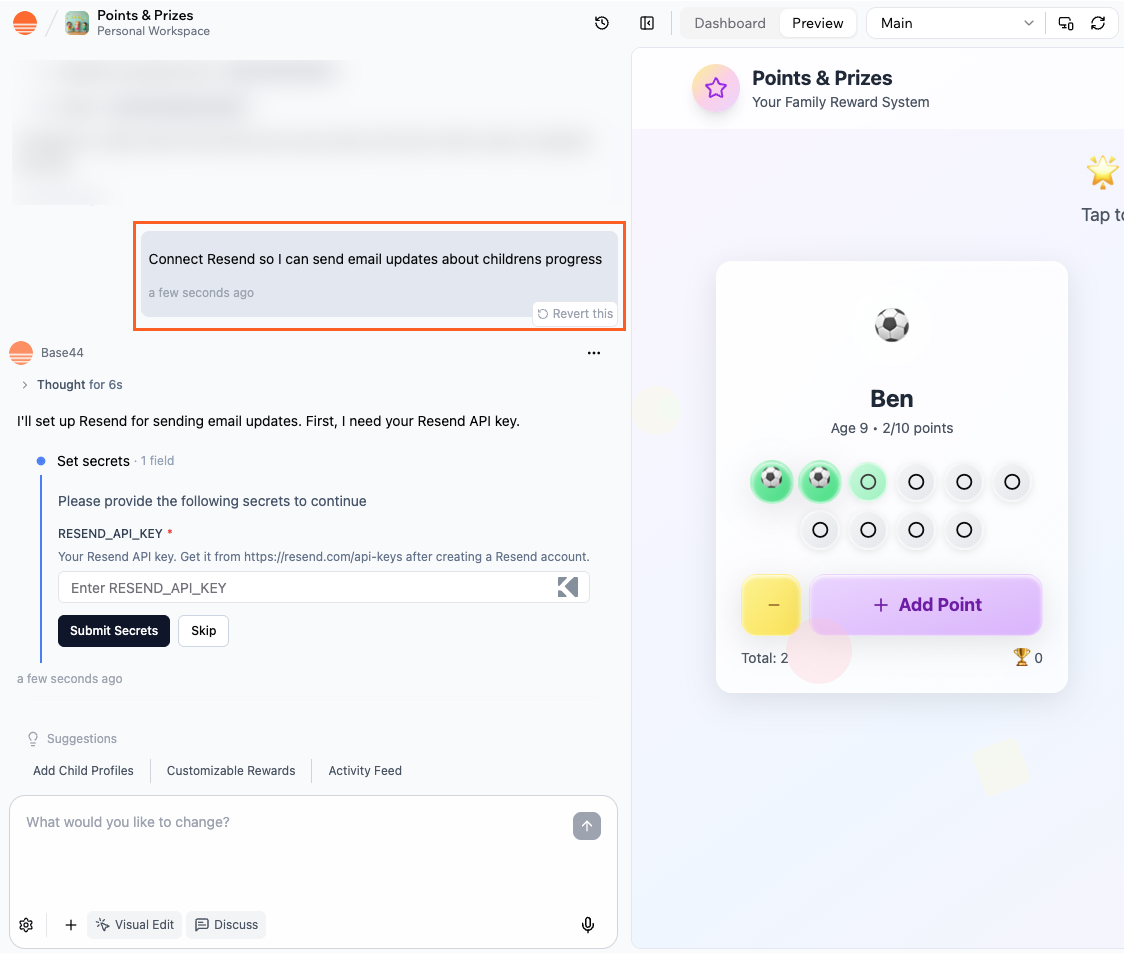
Setting up Resend
Automated emails
Use workflows to send emails automatically, on a schedule or when something happens in your app. For example, send a welcome email when someone signs up, a follow-up 2 days later, or a summary every Monday morning. To set one up, ask the AI chat, for exampleWhen someone signs up, send them a welcome email, then a tips email 2 days later. The AI designs each email in your app’s style and adds it to a workflow as a Send email step. You can see and manage your workflows from Workflows in your app’s dashboard, and the emails themselves from Emails.
Learn more about creating workflows and designing your app’s emails.
Workflows are available on the Builder plan and above. If your app still uses automations, you can switch them to workflows.
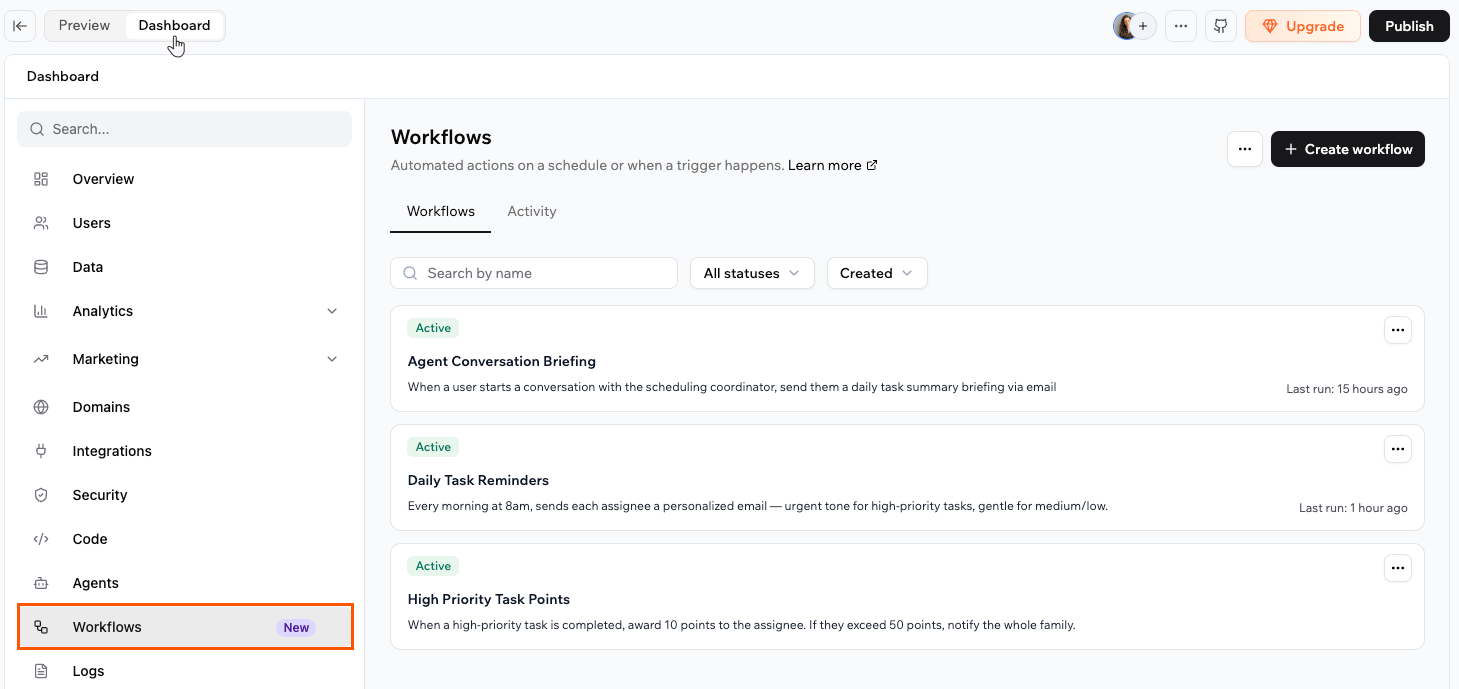
Workflows that send emails from your Base44 app
Emails from custom domains
With the Base44 built-in email service, you can send emails from your own domain (for example, support@your-domain.com) instead of no-reply@base44-apps.com for all built-in email types. To use this, you need your app to be connected to a custom domain. Each app can connect one custom email domain, and you cannot set multiple sender addresses on the same domain.Notes:
- Custom domain emails are available on the Starter plan and above.
- Emails sent from a custom email domain consume 2 integration credits.
Additional email providers
You are not limited to Resend. If you already use another email provider that exposes an HTTP API, you can connect it to your Base44 app. One option is to call the provider directly from backend functions, using secrets to store API keys and other credentials. This gives you full control over the payload without creating a reusable catalog integration. Another option is to wrap the provider in a custom integration so it appears in your private catalog. You can then reuse that integration across multiple apps or share it with your workspace without repeating the setup each time. This approach is helpful when your team already relies on a specific provider, when you need features that only that provider offers, or when you want consistent email behavior across many apps built on Base44. Learn more about external API calls with backend functions and creating your own custom integrationsNote: External and custom integrations are available on the Builder plan and above.
FAQs
Click a question below to learn more about sending emails from your app.How do I decide between built-in emails and the Resend integration?
How do I decide between built-in emails and the Resend integration?
Use built-in emails when you want branded emails you can design in your dashboard with no extra setup.Use the Resend integration when you need deliverability tools, tracking, audiences, or higher-volume sending through your own Resend account.
Can I combine different email options in the same app?
Can I combine different email options in the same app?
Yes. You do not need one email approach for your whole app. Use built-in emails for low-volume flows, Resend for higher-volume or marketing emails, workflows for scheduled and recurring messages, and a custom email domain for branded sending.Some teams also connect a specialist or in-house provider through backend functions or custom integrations. You can move individual flows to more advanced options as your needs grow.
Can I use Zapier to send emails from my app?
Can I use Zapier to send emails from my app?
Yes, in an indirect way. The Zapier integration lets your app send data to Zapier, and then Zapier can trigger emails through tools such as Gmail, Outlook, or its own email actions. This is useful when you already automate workflows in Zapier and want your Base44 app to be another trigger. For details, see the Zapier integration guide.
Do I need a custom domain to send emails?
Do I need a custom domain to send emails?
You do not need one to email people who have signed up to your app. Adding a custom email sending domain becomes more important when you care about consistent branding, higher deliverability, or larger sending volumes.Emailing addresses that have not signed up is different. That needs a paid plan and a verified custom domain on the app itself.You also need a custom email domain to send your own version of the email verification email. Learn more about customizing built-in emails.
Can my app email people who have not signed up to it?
Can my app email people who have not signed up to it?
Yes, when your app is on a paid plan and has a custom domain connected and verified. Each message goes to one recipient at a time.Without both of those, built-in emails reach only the people who have signed up to your app. Sending to addresses that have not signed up is meant for transactional messages, and your app’s sending can be paused if recipients report the messages as spam or too many of them fail to deliver.