

How it works
Share your referral link to invite friends to Base44. When they join and start building, you both earn credits:- Your friend gets 30 credits when they sign up.
- You earn 30 credits when they publish their first app and send a message.
- You earn 100 credits when they upgrade to a paid plan.
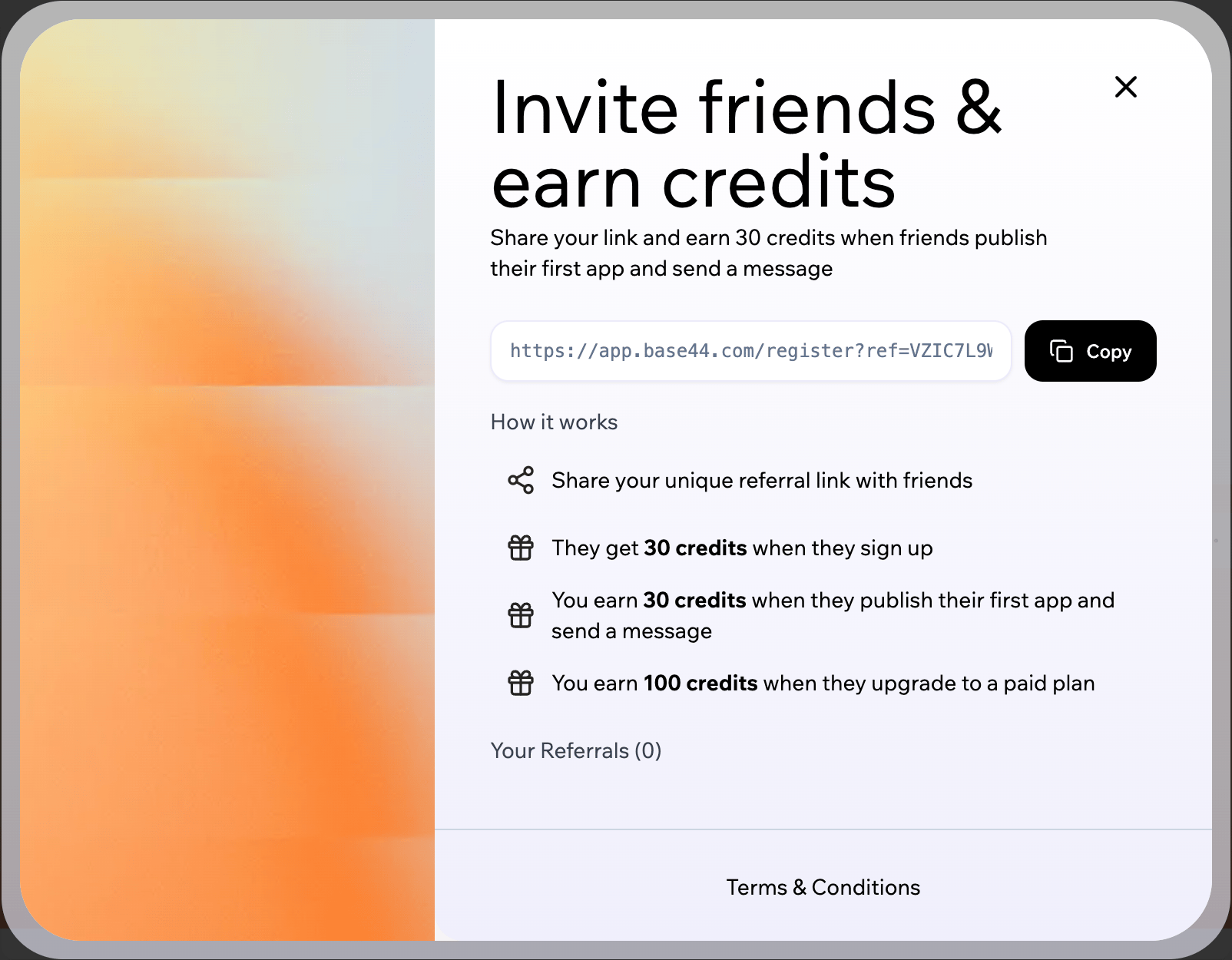
Sharing your referral link
Sharing your referral link
Your referral link lives in your workspace, ready to copy and share at any time.Before you share:
- Only new Base44 accounts are eligible for referral credits.
- Check your friends’ email addresses carefully before they sign up with your link. Referral emails and credits cannot be edited or reset later, and the Base44 team cannot change or reissue referral links.
- Click Earn bonus credits at the bottom of the left sidebar of your workspace.
- Click Copy to copy your referral link.
- Share the link with your friends.

Finding the referral option
FAQs
Click a question below to learn more about the referral program.Who qualifies as a new user?
Who qualifies as a new user?
Anyone who has never created a Base44 account before is considered new and is eligible for referral credits, as long as they sign up through your referral link.
Do referral credits expire or renew each month?
Do referral credits expire or renew each month?
Referral credits are one-time bonus credits that are separate from your plan’s monthly message credits. They expire 40 days after you earn them, and they do not increase your recurring monthly allowance. When your plan renews each month, your standard plan credits reset as usual, and your referral credits continue on their own 40-day expiry.
Can I reset my referral link or fix a typo?
Can I reset my referral link or fix a typo?
No. Once your referral link has been used, the resulting referrals cannot be reset or changed.If a friend signs up with the wrong email address or without using your link, referral credits cannot be added or moved later, and the Base44 team cannot adjust these referrals manually.