

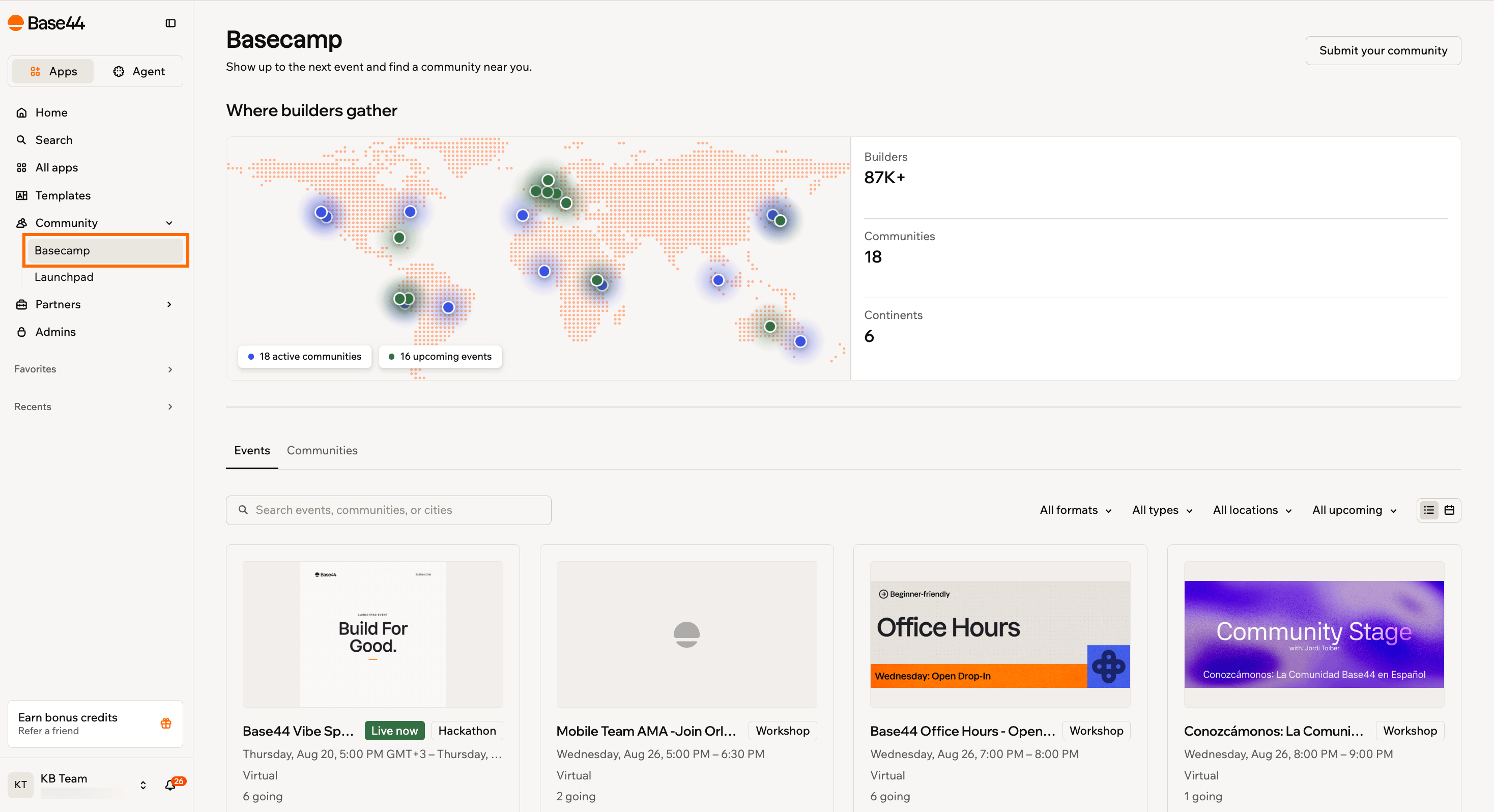
Basecamp shows a map of active communities and upcoming events, with the events list below.
Finding an event
Basecamp opens on the Events tab, which lists everything coming up. Search by event, community, or city, or narrow the list with the filters at the end of the row.- All formats: Virtual, in person, or hybrid.
- All types: AMA, Intro to Vibe Coding, networking, workshop, hackathon, or other.
- All locations: The cities where events are happening.
- All upcoming: Switch between upcoming events and the archive of past events.
RSVPing to an event
RSVP to hold your place and get the details by email. You can RSVP from a card in the list, or from the event’s own page. To RSVP to an event:- Click Community in your workspace, then click Basecamp.
- Find the event you want to attend.
- Click RSVP.
- Review the details in the confirmation dialog, then confirm your RSVP.
How events show your RSVP:
- Once you have a place, the button shows Going.
- Events with a limit on numbers show Full when they reach it.
- Events hosted on an external site show Register instead of RSVP, and clicking it opens the host’s page where you finish registering.
Cancel your RSVP
Cancel your RSVP
Find the event and click Going. Your place is released, which frees it up for someone else if the event was full.
Add an event to your calendar
Add an event to your calendar
Open the event page and click Add to calendar. This downloads a calendar file you can open in Google Calendar, Outlook, or Apple Calendar.
Watch a past event
Watch a past event
Set the last filter to past events. Recordings appear on the events that have one, under Watch recording.
Finding a community
The Communities tab lists every approved community group, grouped by region so worldwide groups appear first. Each card shows the platform the group runs on, its location, roughly how many members it has, and the language spoken there. Search by community or city, or narrow the directory with the filters.- All interests: No-code, vibe coding, AI, fintech, health, design, sports, or general.
- All locations: Americas, Europe, APAC, MENA, Africa, Oceania, or worldwide.
- All languages: The languages the listed groups use, including English, Spanish, Portuguese, French, German, Japanese, Hebrew, and Arabic.
- All platforms: Discord, Slack, WhatsApp, Meetup, Facebook, Telegram, in person, or online.
Submitting your community
Run a Base44 or vibe coding group of your own? Submit it so other builders can find you. The team reviews every submission before it goes live in the directory, and you get a note once your group is listed. To submit your community:- Click Community in your workspace, then click Basecamp.
- Click Submit your community.
- Enter your Community name.
- Select the Platform your group runs on and the Region it covers.
- Enter the Location as a city and country.
- Select the size of your group under Members, then select an Interest and a Language.
- Enter your Invite link.
- Write a Short description of one sentence covering who the group is for and what you do together.
- Click Submit for review.
FAQs
Click a question below to learn more.Do I need a Base44 account to use Basecamp?
Do I need a Base44 account to use Basecamp?
No. Anyone can browse communities and events at base44.com/basecamp. You need to sign in to RSVP to an event or submit a community.
Is this the same as the Basecamp connector?
Is this the same as the Basecamp connector?
No. Basecamp here is the Base44 community hub. Basecamp the project management tool is a separate integration you can connect to your app. For more information, see the connectors catalog.
What kinds of communities are listed?
What kinds of communities are listed?
Groups run by Base44, such as the official Discord, alongside groups started and run by builders. Both go through review, and the ones Base44 moderates carry a Verified badge.
Can I host my own event on Basecamp?
Can I host my own event on Basecamp?
Event listings are managed by the Base44 community team. To suggest an event, reach out in one of the communities listed in the directory.