

Almost every domain bought in Base44 now comes from Wix. If your domain’s emails come from Wix, see Buying a domain with Wix instead.
Managing your domain
Your domain lives in your registrar account, which is the GoDaddy or IONOS account you signed into when you bought it. Everything below happens there rather than in Base44.Renewing your domain
Renewals follow the settings in your registrar account and are automatic by default. To check or change them, sign in to the registrar and open your domain management page. If you let a domain expire, your app stops answering on it until the domain is renewed and active again.Confirming your contact details
ICANN requires every domain owner to confirm their contact details. Your registrar emails you to ask, and you have 15 days to reply before it can suspend the domain. Look for the email in your inbox, including spam. It comes from GoDaddy, or fromsupport@ionos.com for an IONOS domain. Click the confirmation link inside it and you are done.
If you cannot find the email or the link has expired, ask the registrar to send a new one. For a GoDaddy domain, see Verifying contact information for ICANN validation.
Transferring your domain to another registrar
You can move a domain bought through Base44 to a registrar of your choice. You start the transfer at your current registrar, and it follows their terms along with the 60-day lock ICANN applies after a new registration.- GoDaddy: See Transfer my domain away from GoDaddy.
- IONOS: See Transferring a domain from IONOS to another provider.
Buying a domain
You can start a domain purchase from the Domains tab or the Publish panel in your app editor. Both open the domain search, and the setup is hands-off whichever registrar you end up with: SSL is automatic, there are no DNS records to add by hand, and your app is connected quickly.Most domain purchases in Base44 are now Wix domains. You may still be offered a GoDaddy domain, and you will see GoDaddy in the checkout when that happens.
- Click Dashboard in your app editor.
- Click Domains and click Buy new domain.
- Enter the domain you want and click Search.
- Find the domain you want in the results and click Make it yours.
- Create a GoDaddy account, or click Sign in if you already have one. You can continue with Google, Facebook, or your email address. This is the account your domain is registered to, and the one you use to manage it later.
- Complete the purchase.
- Your domain connects automatically, usually within 5 to 30 minutes.
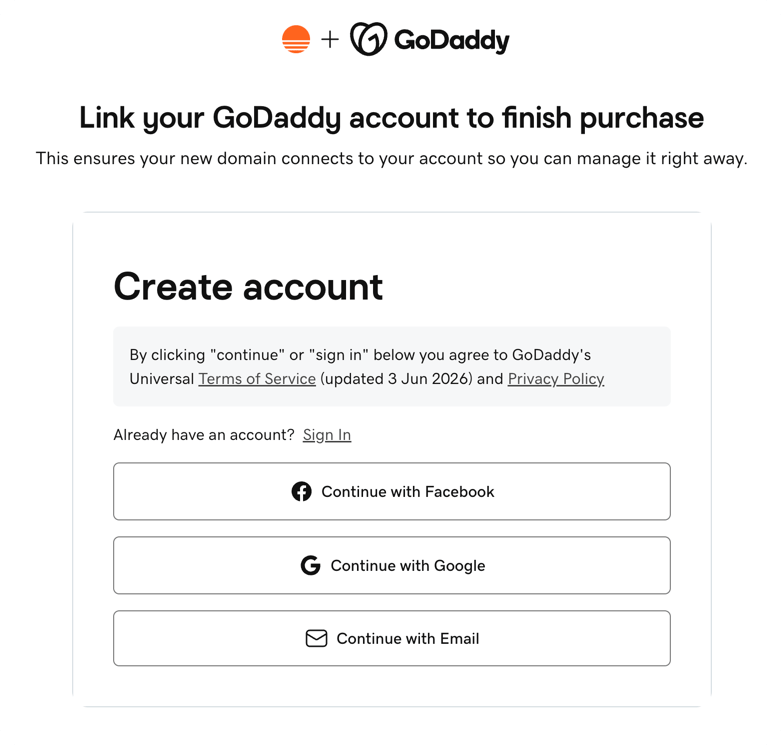
Linking a GoDaddy account to finish buying a domain
Extensions covered by the free domain voucher
Annual Builder, Pro, and Elite plans include a free domain for the first year. For a domain registered with GoDaddy or IONOS, your voucher covers these extensions:.online · .store · .site · .tech · .website · .space · .fun · .club · .biz · .work · .fit · .ink · .wiki · .garden · .beer · .casa · .study · .surf · .courses
This list is the same everywhere. It does not change with your country, your currency, or where you are browsing from. Your voucher also applies to a one-year registration, so if you choose a multi-year term, the domain is charged at its normal price for the full term.
.com is not covered on a GoDaddy or IONOS domain, and neither are .net, .org, or .link. You can still register these as a normal purchase, and there is often a substantial discount on the first year, so check the price shown in your search results.A Wix domain covers a different set of extensions. See Buying a domain with Wix.- The extension you searched for is not on the list above. Scroll past the exact match to the other suggested domains, where the covered extensions appear.
- You already used your voucher on an earlier domain. It covers one domain, once.
- You have a multi-year registration period selected. Switch to one year.
- You opened the registrar’s site directly instead of searching from your app’s Domains page, which is where the voucher is applied.
FAQs
Click a question below to learn more about a GoDaddy or IONOS domain.Who is the legal owner of a domain purchased through Base44?
Who is the legal owner of a domain purchased through Base44?
The person who purchased the domain is the legal owner. Base44 acts as a reseller through a registrar partner but does not own your domain.
Which registrar is my domain registered with?
Which registrar is my domain registered with?
It depends on when you bought it. Most domains bought from September 2026 come from Wix. See Buying a domain with Wix. Before that, domains were registered with GoDaddy, or with IONOS if you bought before August 14, 2026.
What happens to my domain if I downgrade to a lower tier?
What happens to my domain if I downgrade to a lower tier?
The domain remains registered and available for use until the end of its billing cycle, one year from the purchase date. To connect that domain to a Base44 app, you need a Starter plan or higher.