

Open Launchpad
Browse submitted apps, vote for your favorites, and see what the Base44 community is building.
About Launchpad
Launchpad is a community space for apps built with Base44. People browse submitted apps, vote for their favorites, and help them climb the leaderboard. Each app can have one Launchpad listing. If your app is approved, it appears on Launchpad.Get discovered
Put your app in front of people browsing apps built by the Base44 community.
Drive votes
Share your Launchpad listing with your network and bring more people to your app.
Win credits and get featured
Top apps earn credits and a featured spot on Launchpad.
When a round ends, submitted apps move to All Apps. Winning apps also appear in the Wall of fame.
Preparing your submission
A strong submission helps people quickly understand your app, see why it matters, and decide to try and vote for it.Clear value
Help people understand what your app does and why they should try it.
Strong visuals
Add screenshots or a short demo video that show your app at its best.
- Choose accurate categories: Select the categories that best match your app so people can find it.
- Tell the story: Use your description to explain who the app is for, why you built it, and what makes it different.
- Use content you have rights to: Make sure your app details, screenshots, and submitted materials are yours or that you have permission to use them.
Submitting your app
Choose the public app you want to submit, review its security scan, add your launch details, upload screenshots or a short demo video, and submit it to Launchpad. After you submit your app, it is reviewed. If approved, it appears on Launchpad.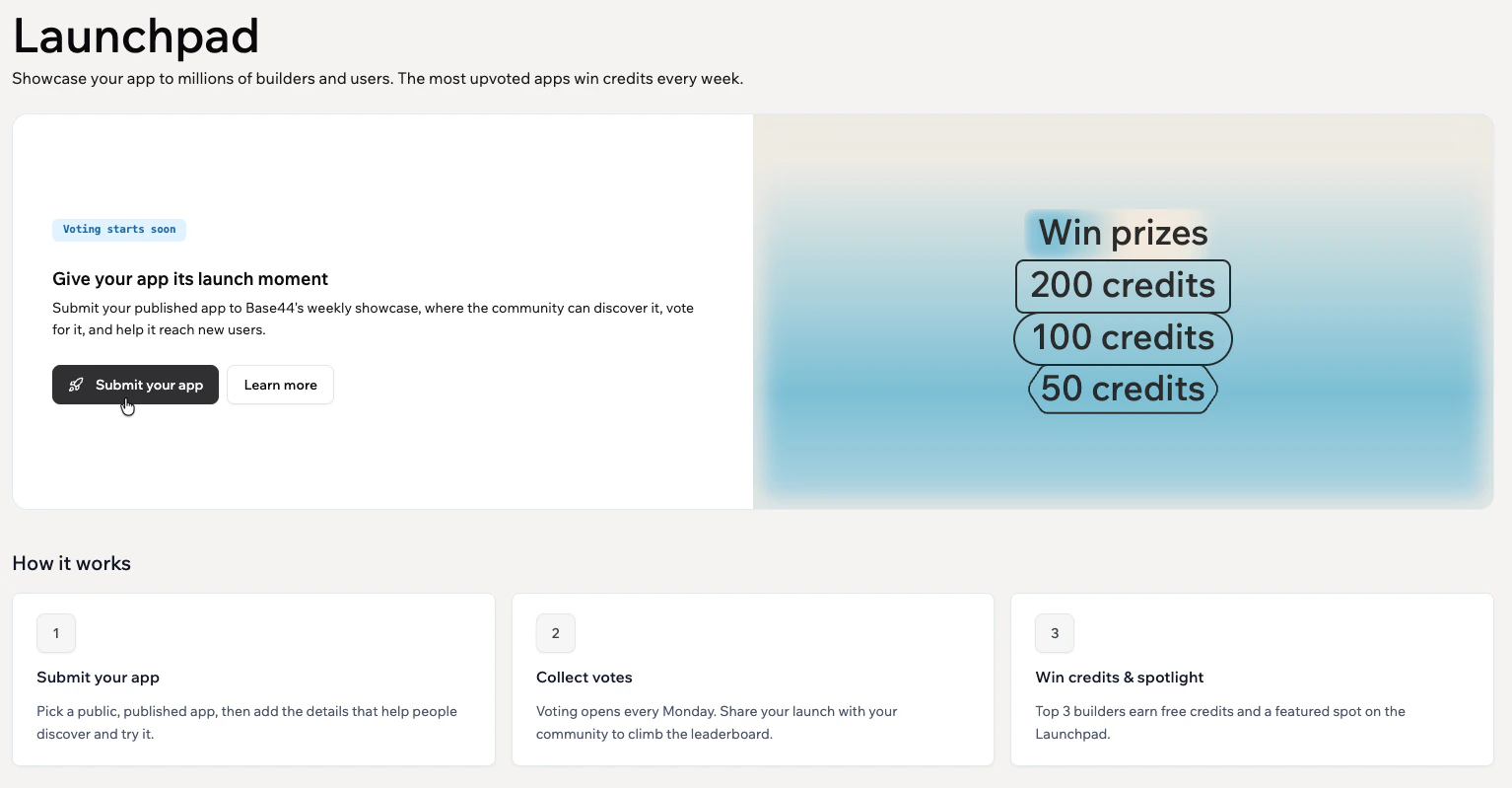
Submit your app to Launchpad
- Click Launchpad in the sidebar.
- Click Submit your app.
- Choose the app you want to submit, then click Continue.
- On the Submit your app page, complete the following sections:
- Selected app: Review the app you selected. Click Select another app to swap the app, or click Manage app to view your live app, edit your app logo, rename your app, or open your app settings.
- Security scan: Wait for the automatic security scan to finish. Click Run security scan to scan the app again after making changes.
- Launch details: Select up to 3 categories, enter a short Tagline, and add a Description that explains what your app does and why people should try it. Click Improve with AI to refine your description, then click Preview your Launchpad card to review how your app appears on Launchpad.
- Showcase your app: Upload up to 5 screenshots or a short demo video. Supported video formats are MP4 and WebM, up to 50 MB. Drag items to reorder. For screenshots, use images that are at least 1280 x 720 pixels.
- Terms & Conditions: Click Read to review the Launchpad Terms of Service.
- Click Submit.
Tracking and managing your submission
After you submit your app, go to My submissions to check its status and manage your submission. To track and manage your submission:- Click Launchpad in the sidebar.
- Click My submissions in the page header.
- Choose what you want to do:
- View: Open your app’s Launchpad page.
- Edit submission: Update your submission details. This option is not available during an active voting round or after the round is finalized.
- Withdraw: Remove your submission from Launchpad. Review the confirmation message, then click Withdraw to continue or Keep submission to cancel. Withdrawing also removes it from the voting round but does not delete the app.
Sharing your app
Share your listing to bring more people to your app. On your app’s Launchpad page, click Share to post to Facebook, LinkedIn, X, or WhatsApp, or click Copy link to share it anywhere. When sharing your app, include:- What your app does.
- Who it helps.
- Why you built it.
- A direct link to your Launchpad listing.
- A clear ask to try the app and vote.
Replying to comments
Reply to comments people leave on your app’s Launchpad page, answer questions, thank people for their support, and keep the conversation going. Replies appear in a thread under the comment. Replies on your own app show an App’s creator badge, so people know the response comes from you. To reply to a comment:- Open your app’s Launchpad page.
- Go to the Comments section.
- Click Reply on the comment.
- Enter your reply.
- Click Post.
FAQs
Click a question below to learn more about submitting apps to Launchpad.What apps can I submit to Launchpad?
What apps can I submit to Launchpad?
You can submit apps that are public, published, and built with Base44.
How many times can I submit an app?
How many times can I submit an app?
Each app can have one Launchpad listing. To list a different app, start a new submission and choose that app.
What if my submission is not approved?
What if my submission is not approved?
Review the message shown in Launchpad, update your app or submission details, then submit it again.
Who can vote on Launchpad?
Who can vote on Launchpad?
Anyone can browse Launchpad. To vote for apps, sign in to Base44. You can upvote each app once per day, and your votes add up over time.
What can top apps win?
What can top apps win?
Top apps can win credits, earn a featured spot on Launchpad, and reach more people in the Base44 community.
When do I receive my prize credits if I win?
When do I receive my prize credits if I win?
The Base44 team applies prize credits after winners are confirmed and announced. Once awarded, the credits appear in your account.
Why does Base44 scan my app before submission?
Why does Base44 scan my app before submission?
Base44 scans your app before submission to check for security issues.
What should I do if the scan finds security issues?
What should I do if the scan finds security issues?
Review the issues shown in the scan, fix them in your app, then run the security scan again. Apps with unresolved security issues may not be listed on Launchpad.
What happens after the round ends?
What happens after the round ends?
Submitted apps move to All Apps. Winning apps are featured in the Wall of fame, where you can browse top launched apps from past competition weeks.