

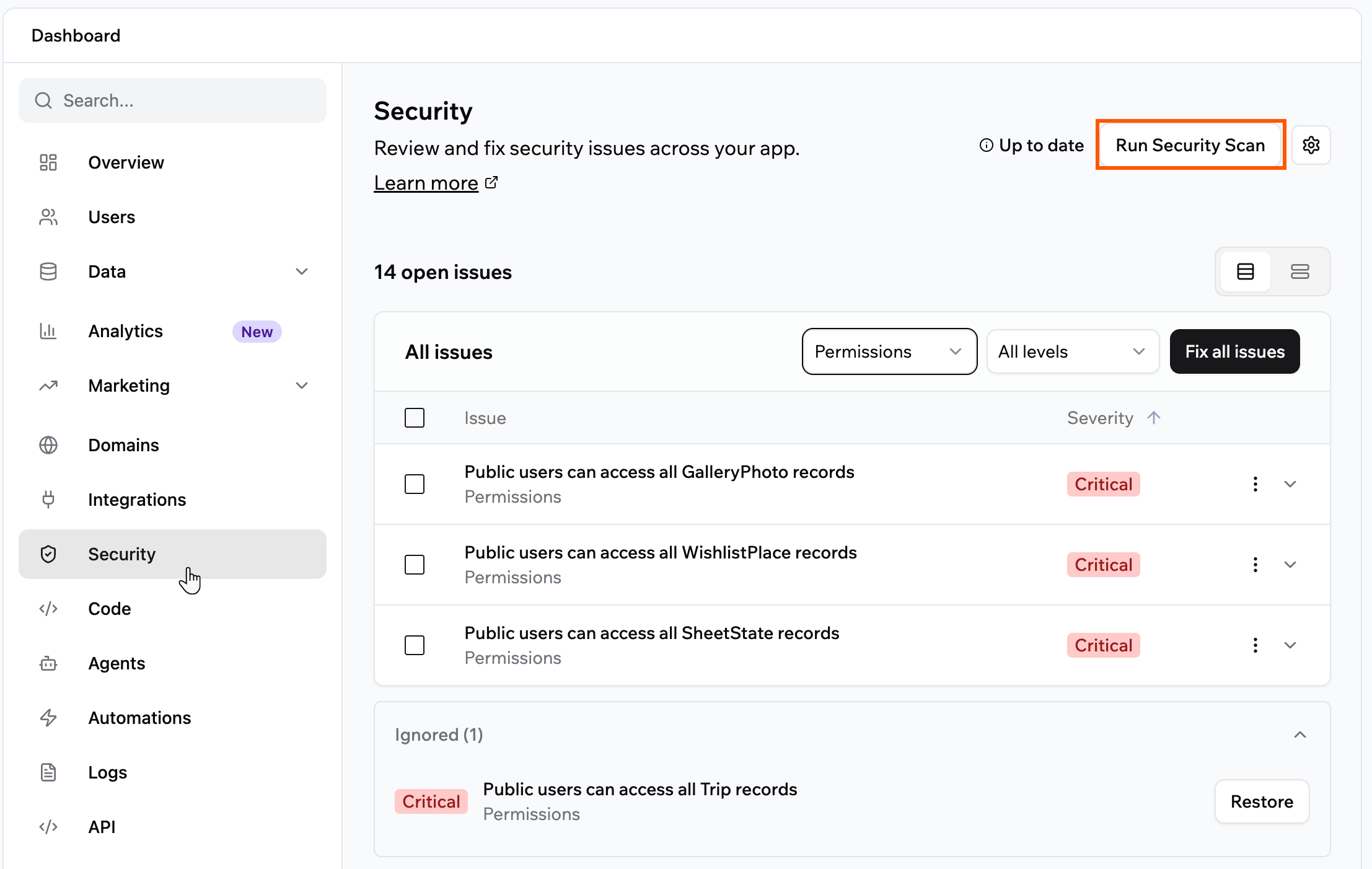
The Security page, where you run scans and review issues
Running a scan
Run a security scan whenever you want to check your app for issues and apply the recommended fixes. To run a security scan:- Click Dashboard in your app editor.
- Click Security.
- Click Run Security Scan.
- Review the issues the scan finds. Switch between the Cards and Table views, and use the drop-downs to jump to a group of issues or a severity level.
- Apply fixes:
- Click Fix all issues to apply every recommended fix at once, or Fix All on a group to fix just that group.
- Select specific issues and click Fix selected to fix only the ones you choose.
- Expand an individual issue to review and fix it on its own. The per-issue buttons appear in the Cards view.
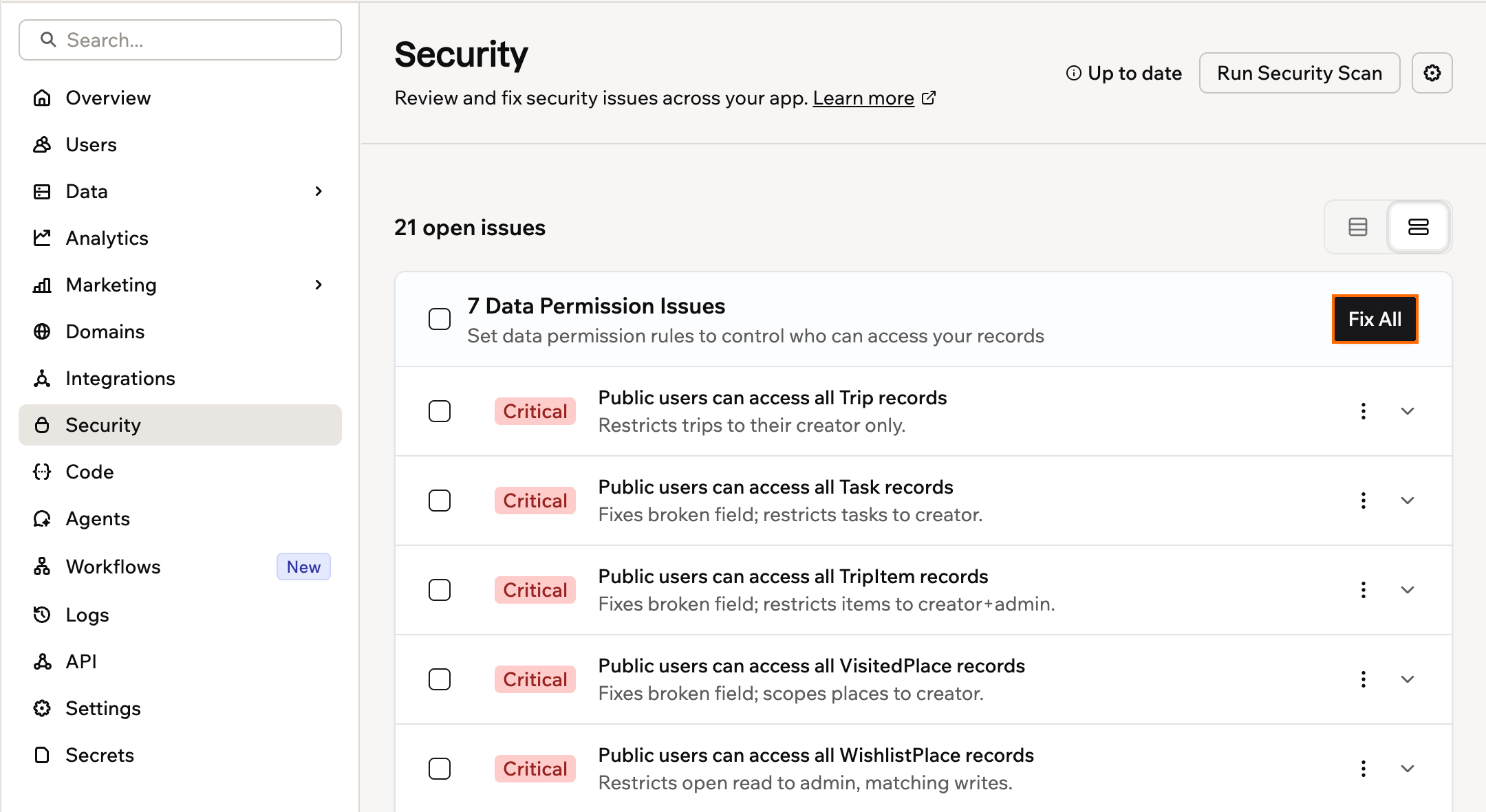
Reviewing and fixing security scan issues
Ignoring issues
If an issue is not a security concern for your app, click the More actions icon on that issue and select Ignore. Ignored issues move to the Ignored section at the bottom of the list and do not reappear the next time you scan.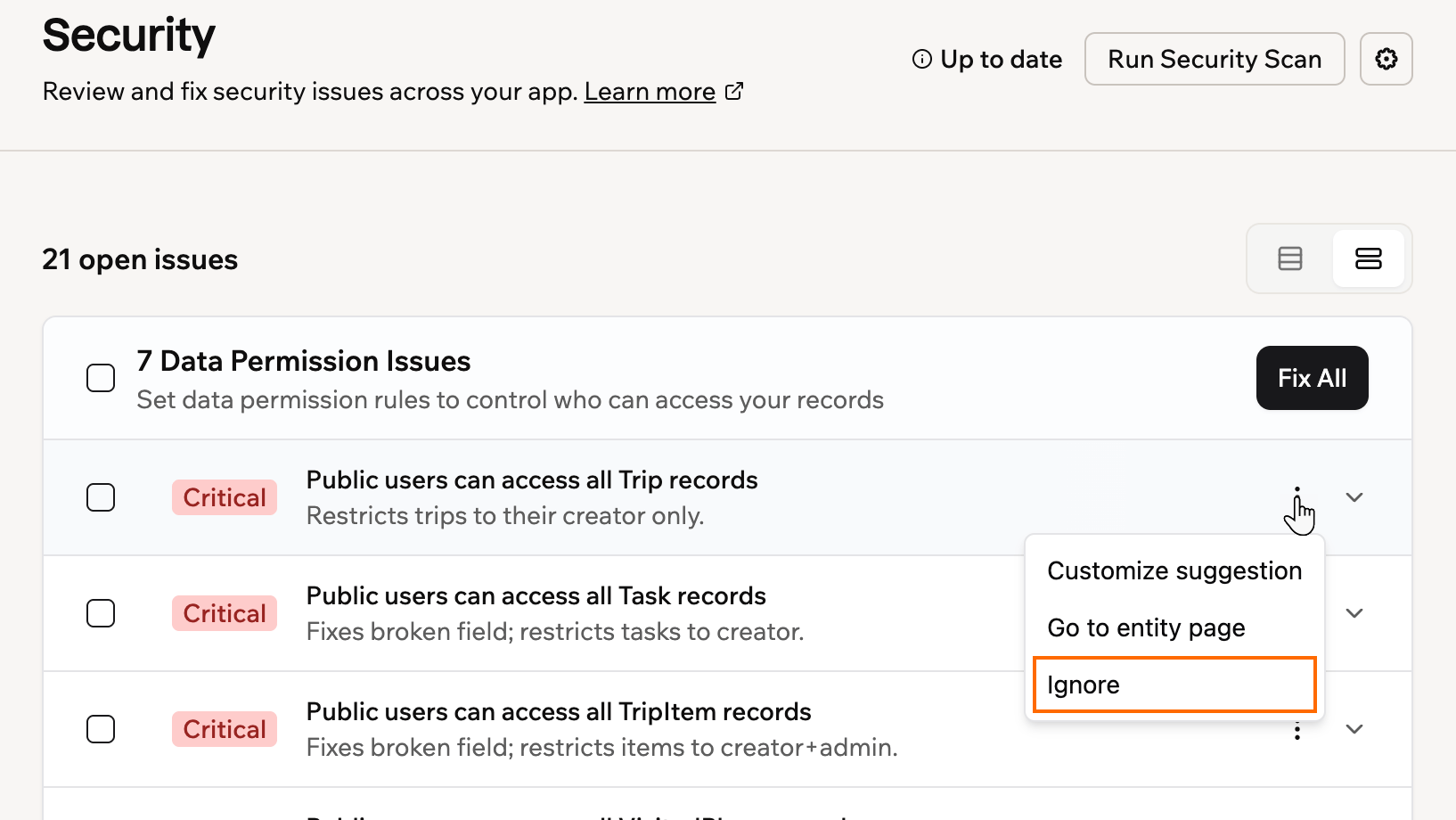
Ignoring a security scan issue from the More actions menu
Tracking and reverting fixes
When you apply a fix, whether you use Fix All or fix a single issue, Base44 records it as a message in your app’s AI chat and creates a checkpoint before making the change. Each message shows what the issue was and what changed, so you have a clear record of every security change made to your app. If a fix does not work the way you expected, revert it from its checkpoint in the chat to roll your app back to the state it was in before the fix.Understanding the scan results
The scan checks for seven types of issues.Data permission issues
These appear when a data table is missing permission rules, or when people have more access than they should. Each issue shows the affected table, a description of the problem, and a table of recommended rules. Click Fix All to apply the recommendations, or click into the table to customize permissions manually.Exposed secrets
These appear when API keys, passwords, or tokens are found somewhere app visitors could access them. Anyone who finds these credentials could use them to access your external services or data. To fix an exposed credential, remove it from the affected area and store it securely. Paste the issue into the AI chat in Discuss mode for step-by-step instructions.Unauthenticated backend functions
These appear when a part of your app that runs behind the scenes gives out data without checking who the person is first. For example, returning someone’s account details without confirming they are signed in. Each issue is titled Anyone can run this function, and shows the file it affects along with an explanation of why it happened. If your app requires login, click Fix with AI on the issue. Base44 reads the function, requires a signed-in user, and limits the data the function touches to that user. These issues are also covered when you click Fix all issues or Fix selected. If your app is public and does not require login, the issue explains your options instead of offering a fix, because there is no signed-in user to check against. To secure the function, either switch your app to require login, or verify the caller inside the function yourself using a provider signature for a webhook, or a shared secret for anything else.Credit protection
These appear when your app’s credit-using features, such as AI, image generation, or email, can be reached directly from outside your app. Someone who finds them could run them and spend your integration credits. The issue is titled Prevent unauthorized credit usage and is rated High. What the issue offers depends on your app:- Your app can be protected as it is: click Fix. It restricts access to those features while preserving the access your app already allows, so it does not change how your app works.
- Some features are reachable from the wrong place: click Resolve with AI. It moves those calls into your app’s backend and updates your app to use them there. Test the affected flows, then run the scan again.
- Your published app is behind: if your latest changes are ready but your live app still runs an older version, the issue reads Publish changes before protecting credits. Click Publish changes, then run the scan again.
App dependencies
These appear when a third-party library or tool your app uses has a known security issue. Each issue includes a severity level (Critical, High, Medium, or Low) and the recommended version to upgrade to. Sometimes there is no version to upgrade to, because a fix has not been released for the vulnerability yet. Those issues offer Resolve with AI instead of a version. It sends the package and its vulnerabilities to your AI chat, which looks for a secure replacement and applies it. Run the scan again afterwards to confirm the issue is gone.Code vulnerabilities
These appear when the scan analyzes your app’s own code and finds patterns that could be exploited, such as missing access checks, unsafe handling of user input, or sensitive data that is not properly protected. Each issue shows a severity level (Critical, High, Medium, or Low) and the affected file. Expand an issue and it breaks down into:- Impact: what someone could do with the weakness.
- Security category: the industry classifications it maps to, such as an OWASP Top 10 category and a CWE number.
- Evidence: the part of your code that caused the finding.
- Attack scenario: a walkthrough of how it could be exploited.
- Suggested fix: the change to make, which you can expand when you are ready to act on it.
Security header recommendations
These appear when your app is missing browser-level protections that the scan recommends based on your app’s risk profile. For example, if your app has login or payments, it flags missing headers as high severity. Each issue shows the severity level and a Fix button that enables the header immediately. There are two headers the scan checks for:- Prevent Embedding (X-Frame-Options): Stops your app from being displayed inside an iframe on another site. This protects against clickjacking attacks, where someone tricks a user into clicking something on your app without realizing it.
- Restrict Browser Features (Permissions-Policy): Limits which browser features your app can access, such as the camera, microphone, and location. Restricting these reduces your app’s attack surface if it does not need them.
- Click Dashboard in your app editor.
- Click Security.
- Click the Settings icon at the top right.
- Under Security Headers, toggle on Prevent Embedding, Restrict Browser Features, or both.
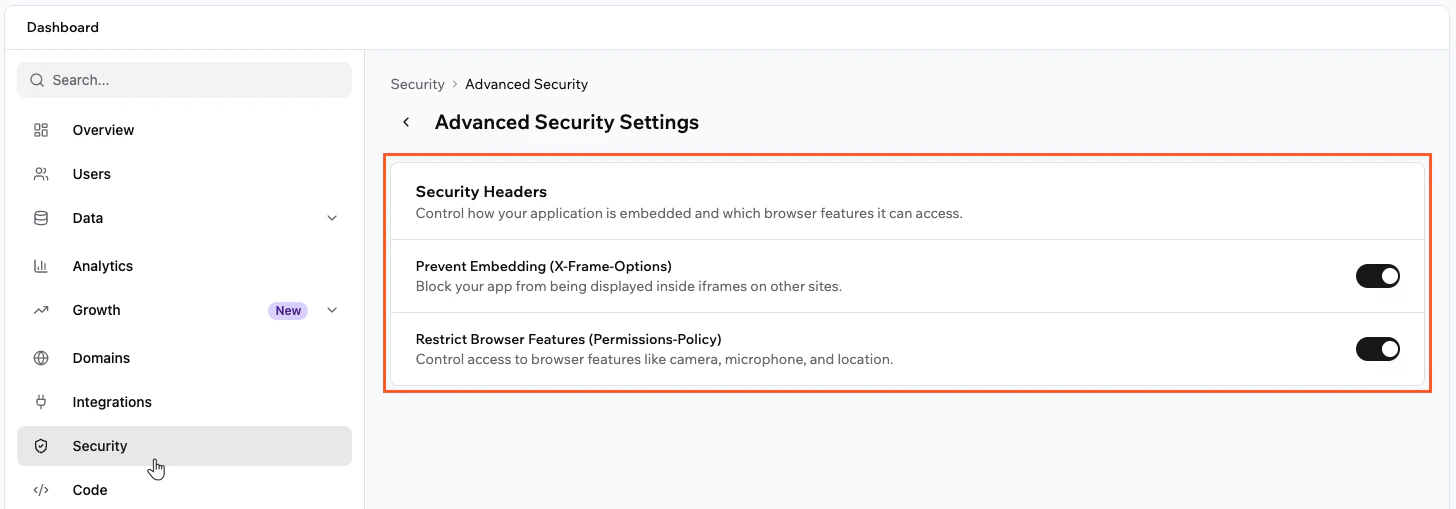
Advanced Security Settings in Base44
FAQs
Find answers to common questions about security scans in Base44.How often should I run the security scan?
How often should I run the security scan?
Run the scan before you publish your app for the first time, and again any time you make significant changes, such as adding new data tables, updating permissions, or connecting new integrations. The Security tab shows an out-of-date warning when your scan results are no longer current, so you know when to run it again.
How do I securely connect to third-party APIs?
How do I securely connect to third-party APIs?
Handle all requests to third-party services in backend functions and store API keys using secrets management. This keeps credentials out of places your app’s visitors could find them.
Are my data tables encrypted?
Are my data tables encrypted?
All data tables and private apps are encrypted. However, data is not end-to-end encrypted, which means Base44 admins can access your data if needed.