

About Superagents
Get to know what a Superagent is and the kinds of work you can hand to one.What’s a Superagent
A Superagent is an AI agent that works for you across your tools. You don’t design screens or pages. You describe the job, and your Superagent takes action using your connected tools, files, and memory. Your Superagent can act like a personal assistant, support rep, marketer, or analyst, depending on the job you give it. It isn’t tied to one app, unlike an in-app agent, which works inside a single app. You can chat with your Superagent in Base44 or in messaging apps like WhatsApp, Slack, and Telegram. It can also work on its own, running on a schedule or when something happens in one of your tools.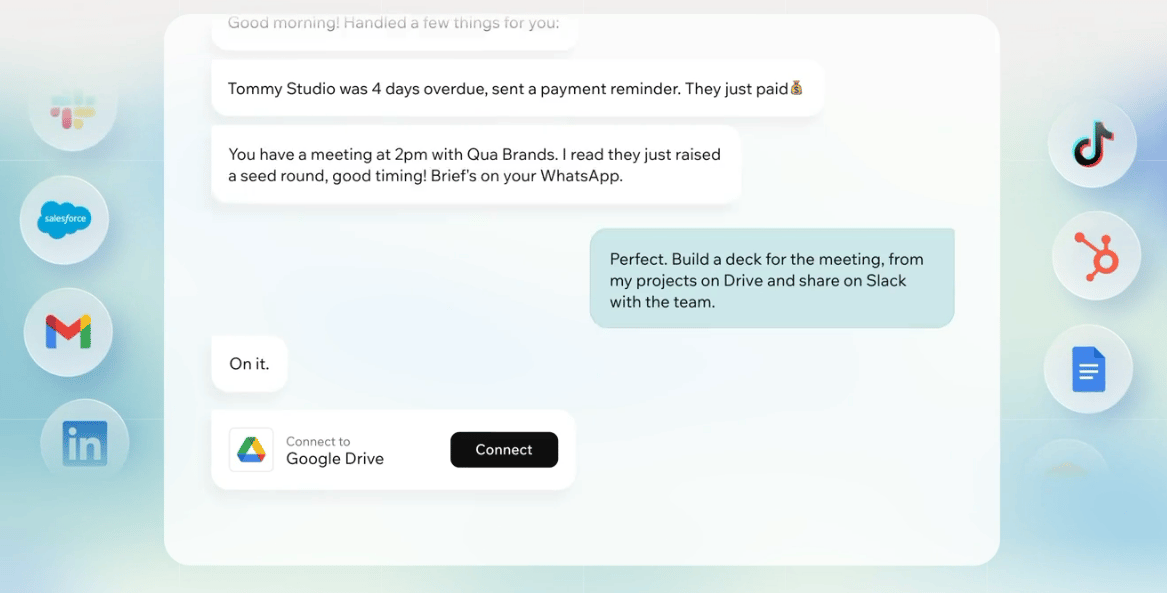
Superagent working across tools in Base44
Ways to use one
Start with work you handle often. For example, your Superagent can:- Send you a daily summary of your inbox, calendar, and priorities.
- Join your meetings with a video link and save the notes and action items.
- Capture leads, track competitors, and organize follow-ups.
- Prepare weekly reports from tools like Google Workspace, Notion, and HubSpot.
- Monitor your systems and connected services, and tell you about important updates.
- Answer messages for you in channels like WhatsApp, Telegram, iMessage, Slack, and LINE.
- Research topics on the web and complete tasks for you.
- Work on your Base44 apps from chat, from small edits to running backend functions.
Ready to put your Superagent to work?
Create a Superagent, connect your tools, and start giving it work to do.
Talking to your Superagent
Chat with your Superagent in Base44, or connect it to the messaging apps you already use.Chatting
Give your Superagent work to do. Describe the outcome you want, ask follow-up questions, refine results, and add context as you go. You can upload files, paste images, or use speech to text to help your Superagent understand the task. As you interact, your Superagent suggests relevant prompts, connectors, and workflows based on your current conversation. Suggestions can appear directly in the chat input, match the language you use with your Superagent, and be refreshed when you want a different starting point.
Chatting with your Superagent
- Type a message in the chat input.
- Use Speech to text to dictate a message.
- Use Voice mode to have a live conversation.
- Share your screen or camera during a voice call so your Superagent can see what you’re working on.
Connecting channels
Connect your Superagent to channels so you can interact with it anywhere, including Base44 chat and messaging apps like WhatsApp, Telegram, iMessage, Slack, and LINE. Once connected, it can respond to messages, run workflows, and format responses for the channel you are using. To connect a channel, click Channels in the sidebar. You can also install the Browser extension to let your Superagent work in Chrome. Learn more about browsing with your Superagent.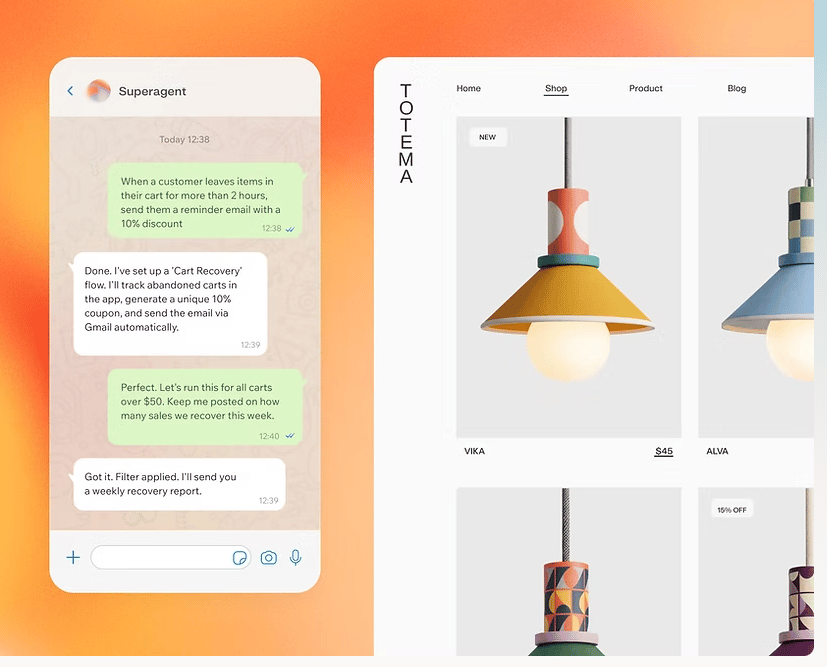
Messaging your Superagent on WhatsApp
Use Superagents on mobile
You can also interact with your Superagent in the Base44 mobile app. Download Base44 from the App Store or Google Play.
Extending your Superagent
Give your Superagent more to work with by connecting services, adding skills, setting up workflows, and letting it browse the web.Using plugins
Use Plugins to connect your Superagent to services and add skills it can run.- Connectors: Services your Superagent can connect to, such as Google Workspace, Slack, GitHub, Notion, or HubSpot. For example, connect Gmail so your Superagent can summarize and draft emails for you.
- Skills: Reusable instruction sets that give your Superagent new capabilities. Browse curated Base44 skills, explore the full catalog by category, or create and upload your own.
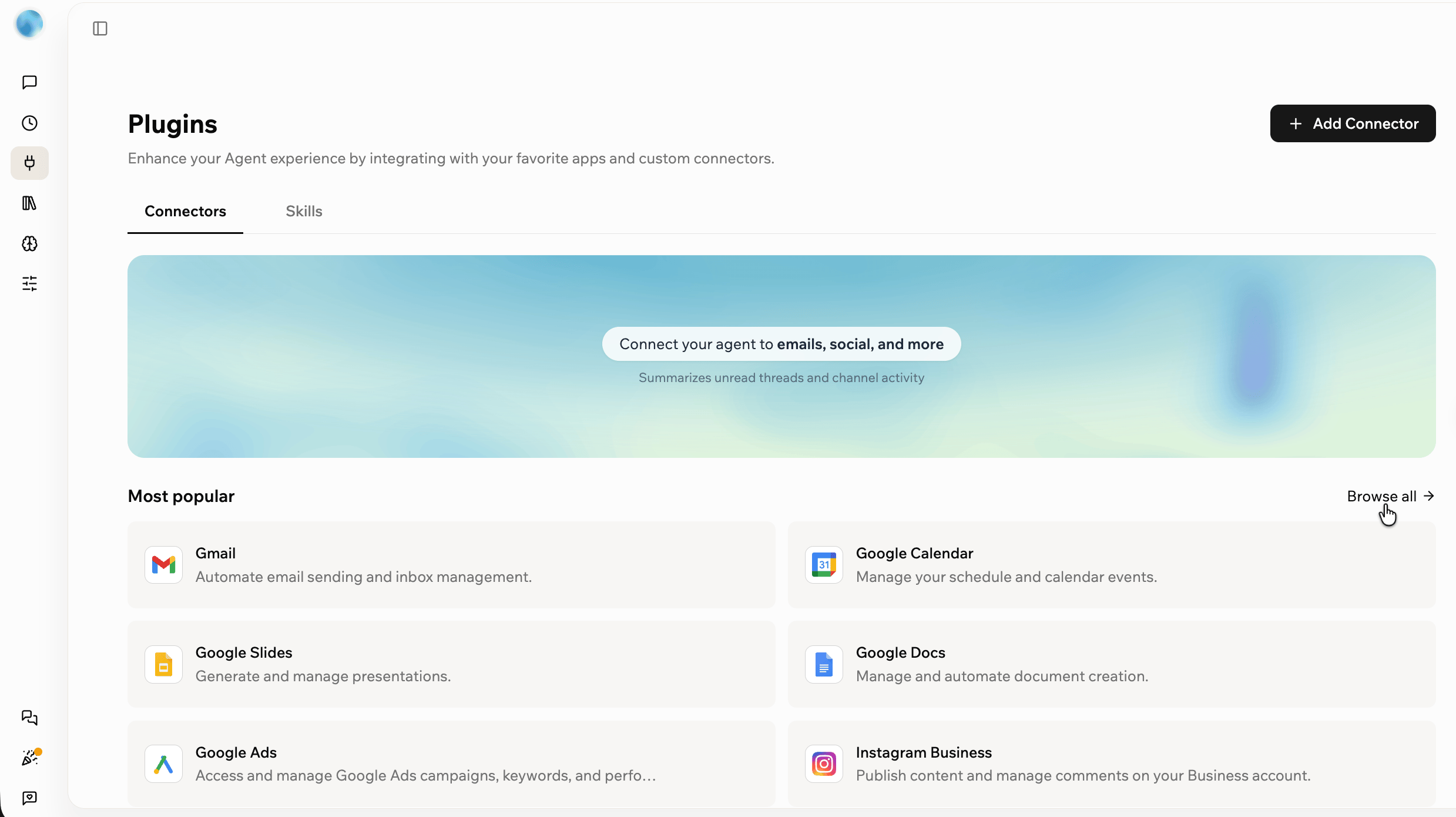
Connecting plugins and skills to your Superagent
Running workflows
Run actions on a schedule or when a trigger happens. Use workflows for recurring work, such as a morning brief every day at 8 AM, or a reminder whenever an email sits unread for a day. You can set up workflows by chatting with your Superagent, or by choosing a suggested workflow on the Workflows page. From Workflows, you can manage:- Scheduled Workflows: Run at specific times, such as daily summaries, weekly reports, or recurring reminders.
- Triggered Workflows: Run when a trigger happens, such as when your data changes or activity happens in a connected tool.
- Activity: Review your recent workflow runs.
Browsing the web
Your Superagent can browse the web to research topics, look things up, and complete tasks for you. It uses a secure cloud browser that runs in the background, so you can watch it work right from the chat. You do not need to install anything to use it. To learn more, see Browsing with your Superagent.Notes, files, and memory
Inside your Superagent in Base44, you can see everything it keeps, from meeting notes and shared notes to files, memory, and data. Open each one from the sidebar.Recording meetings
Your Superagent can join meetings that have a video link, such as Google Meet or Zoom, as a notetaker. When the meeting ends, it saves the notes and action items to its notes library and emails them to you. To connect your calendar and see your upcoming meetings, open Agent Settings in the sidebar and click Meetings. To learn how to connect your calendar and manage recordings, see Recording your meetings.Taking notes
Notes is a shared space where you and your Superagent keep the information you both work from, organized by topic. The pinned For you note tracks your priorities and anything that needs your attention, and you can add and edit notes of your own. Open Notes in the sidebar. To learn how to create, refresh, and share notes, see Taking notes with your Superagent.Storing files
Store documents, folders, and other resources your Superagent can reference, including ones you upload and ones it creates while working. You can upload files, upload folders, or create folders to keep them organized. Open Files from the More menu in the sidebar.
Files uploaded for a Superagent
Reviewing memory
Keep useful context from your conversations. Your Superagent saves durable facts, preferences, instructions, and decisions as knowledge, tracks the goal and next steps of each conversation as working context, and keeps a daily log of your conversation history. Open Memory from the More menu in the sidebar to review what your agent remembers and where each memory came from. To learn how to review and manage memory, see Creating a Superagent.Managing data
View and manage the data your Superagent stores. You can browse records, add and edit them inline, export a table to CSV, inspect a table’s structure, and restore recently deleted records. Open Data from the More menu in the sidebar.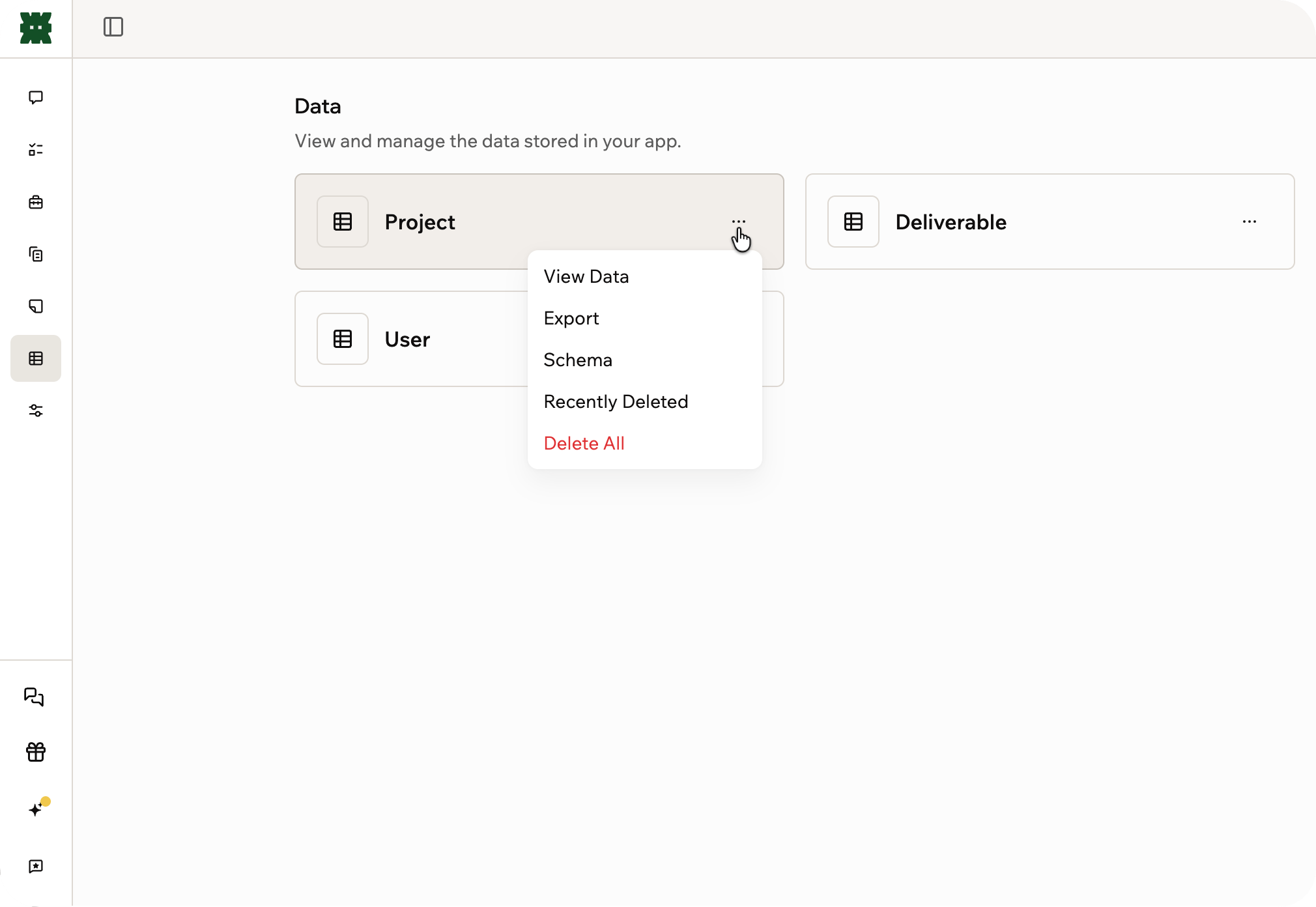
Viewing data stored in a Superagent
Customizing your Superagent
Open Agent Settings in the sidebar to control how your Superagent works, sounds, and connects to your tools.- General: Choose the AI models your Superagent uses for chat and automations, control which workspace apps it can access, pick its voice, move it to another workspace, or delete it.
- Trusted people: Connect with people through your Superagent. Only the Superagent’s owner sees this panel.
- Sharing & access (with 2 or more Superagents): Invite collaborators, create a public template link, and choose how memory works across conversations. With one Superagent, open it from More > Memory > Change access, or ask your Superagent in chat.
- Credit usage: See your plan and how many message and integration credits you have used.
- Meetings: Connect your calendar so your Superagent can join your meetings as a notetaker.
- Security: Manage permissions, store secrets, and set connector rules.
- Developer: Connect to your Superagent through the API and webhooks.
FAQs
Click a question below to learn more about building a Superagent.How do I get started building a Superagent?
How do I get started building a Superagent?
Most Superagents are built in 4 steps:
- Define the goal.
- Connect your tools.
- Add files, memory, and context.
- Set up workflows.
Can I have more than one Superagent?
Can I have more than one Superagent?
Superagents are designed as one assistant per person for everything you do, so most workspaces have just one.To work on different roles or projects, start a separate conversation for each one, and put that role’s context and instructions at the top. Learn more in Work in separate conversations.
What is the difference between a Superagent and an in-app agent?
What is the difference between a Superagent and an in-app agent?
A Superagent works across your tools.An in-app agent works inside a specific app and is limited to that environment.
How do credits work in Superagents?
How do credits work in Superagents?
Superagents use message credits when processing messages and running workflows. They use integration credits for actions such as image generation, file processing, file upload, and creating download links.To see your usage, open Agent Settings in the sidebar and click Credit usage.
Does Base44 store my voice, screen, or camera?
Does Base44 store my voice, screen, or camera?
No. Base44 does not store recordings of your voice, screen, or camera. Text transcripts of the conversation are saved as part of your chat history, the same as your text messages.
Can workspace admins see my Superagent conversations?
Can workspace admins see my Superagent conversations?
Workspace admins cannot view your Superagent conversations by default.Base44 may access relevant Superagent data when needed to provide support, investigate issues, maintain security, or operate the service.
Can Superagents be disabled for my organization?
Can Superagents be disabled for my organization?
Yes. On an Enterprise plan (Business or Enterprise), workspace owners and admins can disable Superagents from their workspace settings.To disable Superagents:
- Go to your workspace settings.
- Click Overview.
- Turn on the Disable Superagents toggle.
Can I move my Superagent to another workspace?
Can I move my Superagent to another workspace?
Yes. You can transfer your Superagent, including its full conversation history, to a different workspace.To move your Superagent:
- Open your Superagent.
- Click Agent Settings in the sidebar.
- Click General.
- Click Move to workspace.
- Select the target workspace from the dropdown.
- Click Move agent to confirm.
You must be a member of the target workspace to move an agent to it. Who can move agents out depends on the source workspace’s App transfers setting. On an Enterprise plan (Business or Enterprise), workspace admins can move agents by default. On other plans, only the workspace owner can.
Can I delete my Superagent?
Can I delete my Superagent?
Yes. Deleting a Superagent moves it to Recently deleted, and you can restore it for 30 days.Its integrations are disconnected as soon as you delete it, and restoring the Superagent does not bring them back.
Ready to create your Superagent?
Create your Superagent, connect your tools, and give it work to handle.