

If you run out of credits, you can purchase a top-up to keep building without waiting for your plan to reset or switching to a higher tier. You can add message credits, integration credits, or both. Each preset in the dropdown shows the dollar amount and the number of credits you get. Your credits are added to your balance immediately after payment.Documentation Index
Fetch the complete documentation index at: https://docs.base44.com/llms.txt
Use this file to discover all available pages before exploring further.
Know before you purchase
- You need an active paid plan to purchase and use top-ups.
- In workspaces with multiple members, only the workspace owner can make a purchase.
- Top-up credits are used only after all your other credits run out.
- If you have multiple top-ups, credits from the earliest purchase are consumed first.
- Top-up credits are valid for one year from the date of purchase.
- If you cancel your plan, your top-up credits are paused and become available again if you reactivate a paid plan before they expire.
- Prices are displayed in USD or ILS based on your location.
- Click your workspace name at the top left of your workspace.
- Click Settings.
- Click Credit usage under Workspace.
- Click Buy credits.
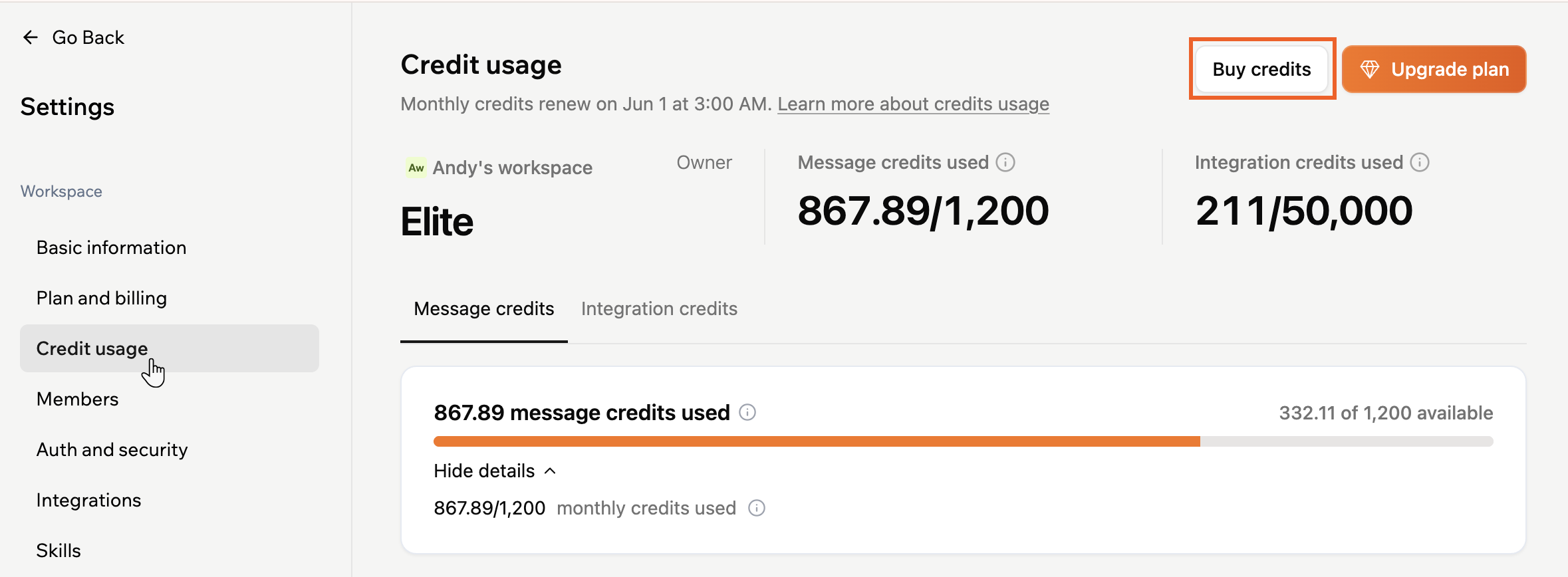
- Use the drop-downs to select message credits, integration credits, or both.
- Click Next.
- Review the order summary on the confirmation screen.
- Click Confirm Payment to complete the purchase.