See how the new workspace and credit model works. Each workspace has its own plan and credits with no seats, and you can invite people to a workspace or an app.
Important:
We are rolling out a new workspace and credits model to some new accounts starting March 12, 2026. The rollout is gradual, so you may not see these changes in your account yet.
If you have any questions about how the change affects your account, contact Customer Care.
The new model makes it easier to organize your work in Base44, invite people to collaborate, and understand how usage is billed. You work in shared workspaces that have their own plans and credit pools, instead of juggling personal workspaces and paid seats.
Quick summary of what's new
You work in shared workspaces, not separate personal and shared spaces.
Each workspace has a plan and a shared pool of credits that everyone in that workspace uses.
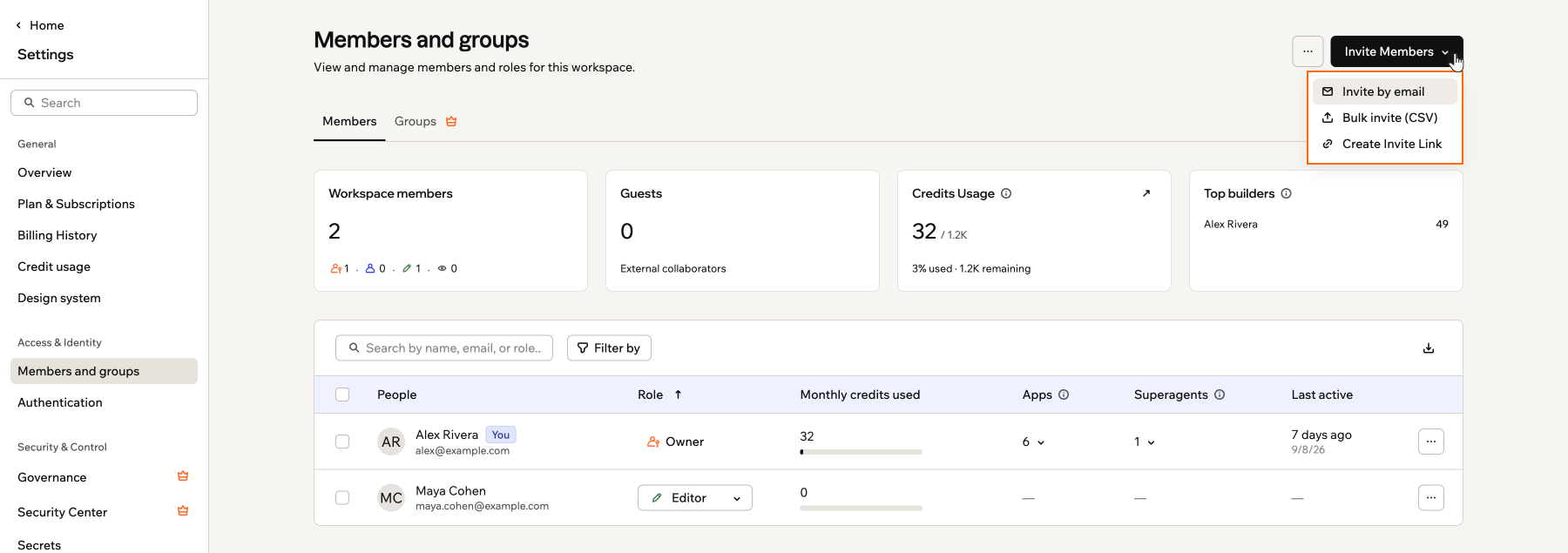
You invite people directly to a workspace and give them roles. They do not need seats or their own paid plans.
You can invite guests to a single app so they can edit that app without having access to the whole workspace.
When you join Base44 you automatically get a workspace. The workspace is where you keep apps, members, and billing together, and you can add more workspaces if you need.
Each workspace has its own plan and shared pool of credits.
Apps live inside workspaces and always use the plan and credits of the workspace where they were created, so when you create an app it belongs to the active workspace you are in.
You can invite people to a workspace so everyone with the right role there can help build and manage those apps.
You choose a plan for each workspace and everyone in that workspace uses that plan.
In the new model there are no workspace seats.
Credits are the usage-based part of each workspace. They define how much activity apps in that workspace can handle during each billing period.On the Free plan, your first workspace receives 25 free message credits every month, up to 5 a day, together with a starter bundle of integration credits. Workspaces on paid plans have larger monthly credit bundles so production apps have enough capacity.
Only the workspace created for you when you sign up receives free message credits on the Free plan. If you create more workspaces on the Free plan, they don’t receive free message credits.
You can see how many credits your workspace has used and how many remain for the current billing period.To view your credit usage:
Click your workspace name at the bottom left of your account.
You can invite as many people as you want to a workspace. Then you choose a role for them which controls what they can see and do.
Owner: Manages billing, people, settings, apps, and credits for the workspace. Has admin access to all apps in the workspace. There is only one workspace Owner.
Admin: Manages members and workspace settings but does not handle billing. Has admin access to all apps in the workspace.
Editor: Creates new apps and edits apps they collaborate on, including apps shared with the whole workspace.
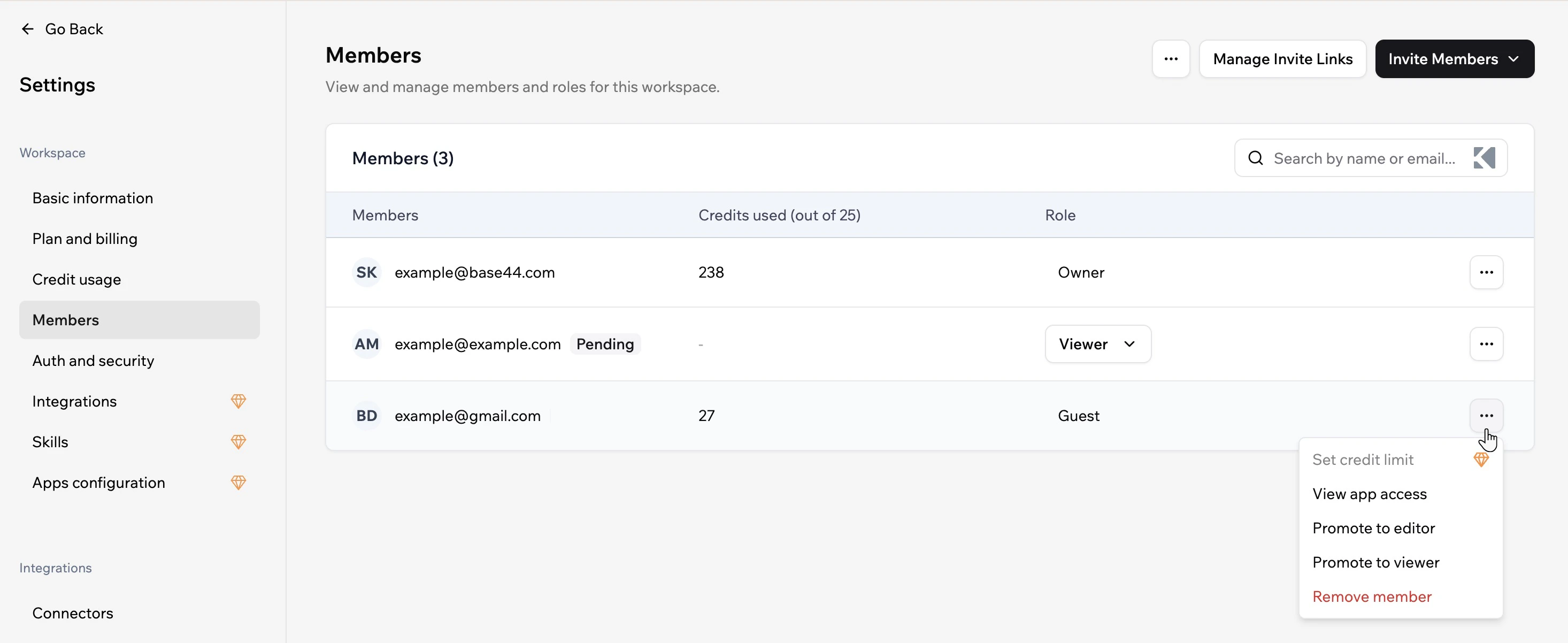
Guest: Can edit specific apps they are invited to, but cannot create new apps, see other apps in the workspace, or access workspace settings. Guests are created from app invitations (see below).
Everyone you invite uses the workspace’s plan and credits. They do not need to pay for their own plans. All collaborators, including guests, use credits from the workspace when they build or use the apps they can access.
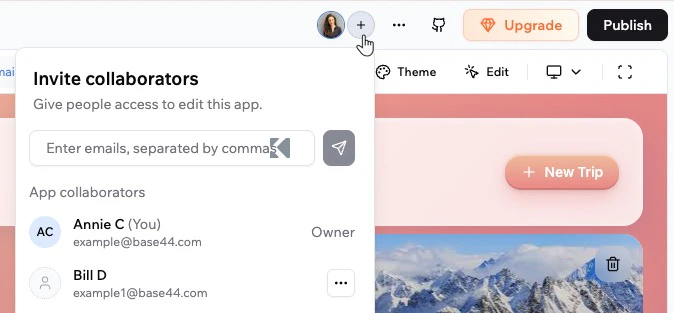
When you want someone to help with one app without joining the whole workspace, you can invite them as a collaborator on that app. They become a Guest in your workspace, with access limited to the specific app you invited them to. Guests can edit that app but cannot create new apps, see other apps in the workspace, or open workspace settings.To invite someone to an app:
Open the app in the editor.
Click the Invite collaborators icon at the top.
Enter the email address of the person you want to invite.
Click the Send icon.
If the email is not a member of the workspace, choose Add as guest in the Not a workspace member dialog to give them access to this app only.
To add them as a full workspace member instead, click Add to workspace and follow the steps in the Members and groups settings.
Manage the guest from Settings → Members and groups if you later want to promote them to Viewer or Editor, or remove them from the workspace. Promoting a guest gives them full workspace access for the role you choose, and removing them revokes access to all apps in that workspace.
Click a question below to learn more about the new workspaces and credits.
How do credits work when I am in more than one workspace?
Credits are not shared between workspaces.Each workspace has its own plan and credit pool. When you build or use apps in a workspace, you use credits from that workspace only. Activity in one workspace does not affect the credits of any other workspace you belong to.
Do I own the applications I create on Base44?
Yes. All applications and content you generate through Base44 belong to you. Base44 does not claim ownership of anything you create. You can use, modify, distribute, or sell the applications and content you build in any way that suits you.
Can I control how many credits each member uses?
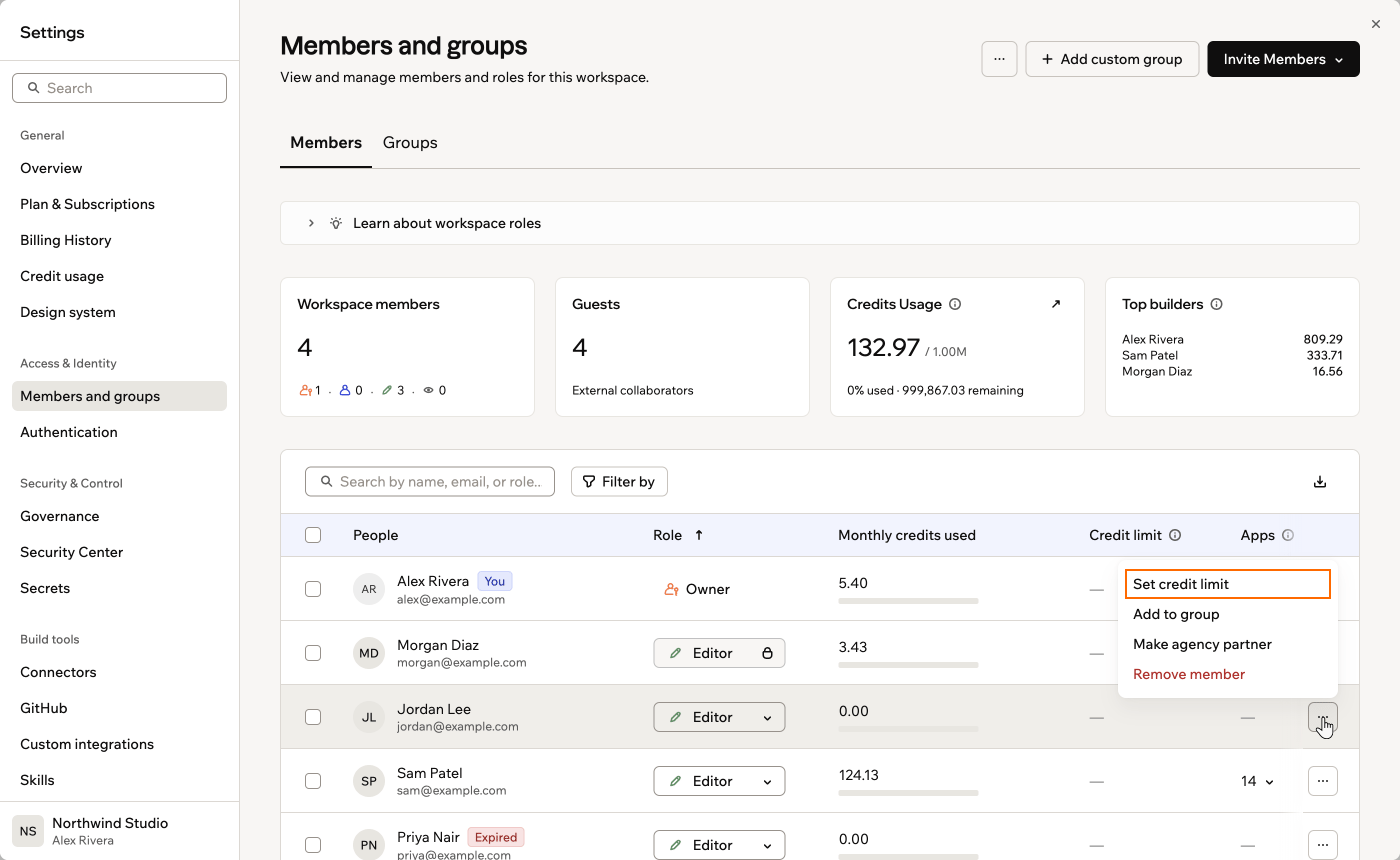
Yes, this is available on Enterprise plans (Business or Enterprise). Workspace Owners and Admins can set a default monthly credit limit that applies to all members, or set a specific limit for individual members.To set a credit limit for a member:
Click your workspace name at the bottom left of your account.
Click Settings.
Click Members and groups.
Click the More actions icon next to the relevant member.
Click Set credit limit and enter the limit, then click Save.
Setting a credit limit for an individual member
Was this page helpful?
Assistant
Responses are generated using AI and may contain mistakes.