

What you can do
Bring your Wix site data and business tools into your app.Show your store
Show products from your Wix Store in your app, and create orders in Wix Stores when someone buys something.
Sync bookings
Bring bookings from Wix Bookings into a calendar or scheduling app.
Import contacts
Import contacts from Wix CRM into your app’s customer list.
Display blog posts
Show the latest posts from your Wix blog on a page in your app.
Connecting Wix
Choose how people connect: one shared Wix site for your whole app, or each person’s own site.- App user connector
Connect one Wix site, and everyone who uses your app shares it and its data.To add a shared Wix connector:
- Click Connectors in your workspace sidebar.
- Click Add connector.
- Search for Wix and click it.
- Select Shared connector, then click Next.
- Enter a Connection name.
-
In Who can access, choose Apps and Super agent, Apps only, or Super agent only. Apps and Super agent is selected by default.
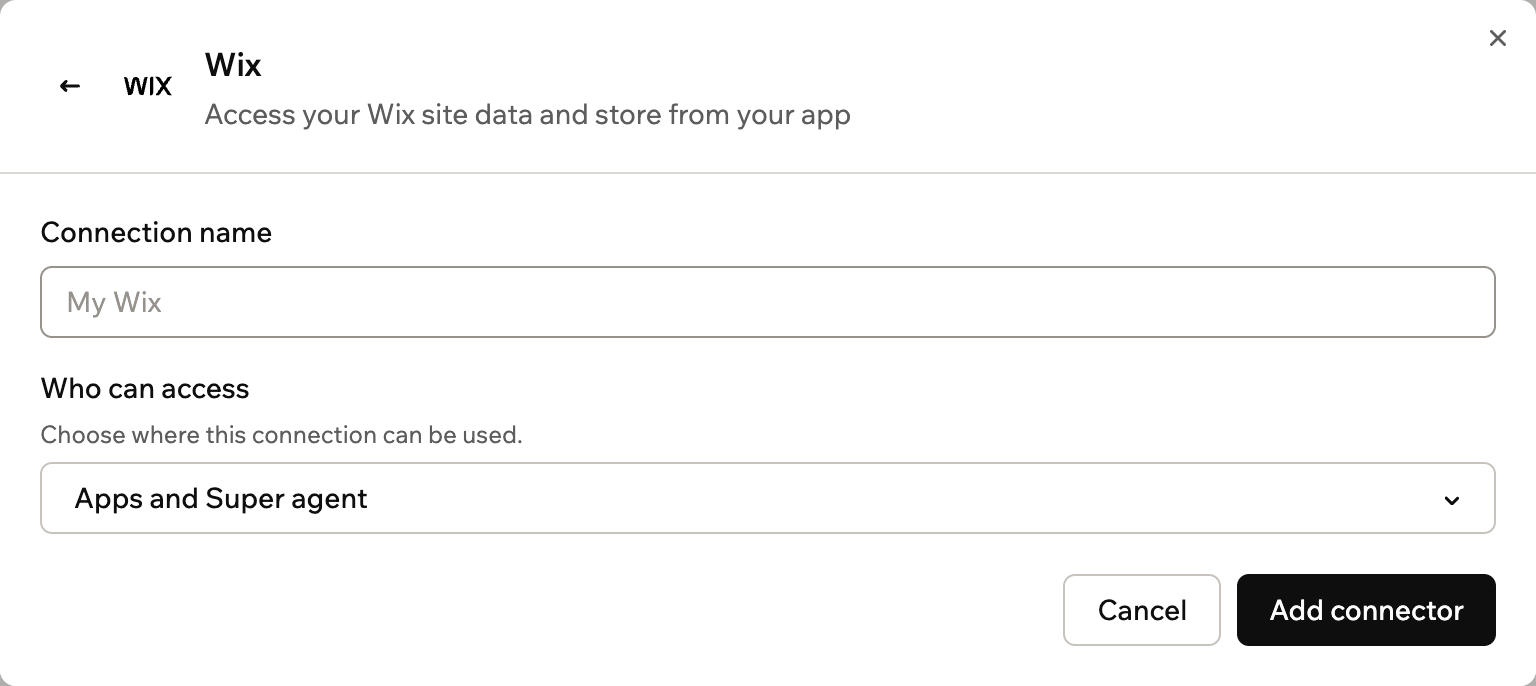
Setting up a shared Wix connector
- Click Add connector.
- Sign in with the Wix account that owns the site you want to connect.
- Choose the site you want to connect.
- Approve the access Wix asks for.
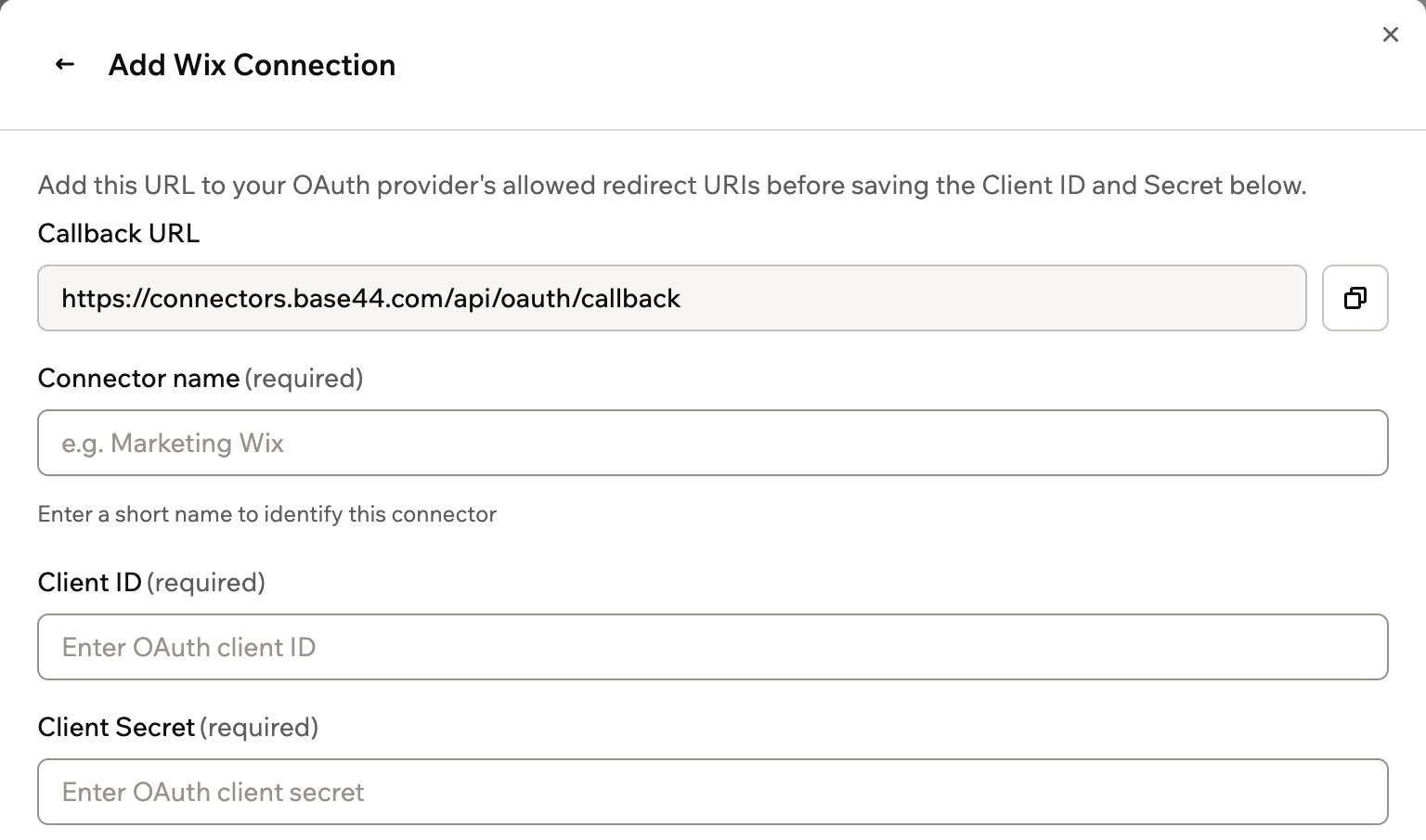
Scopes and permissions
Your app gets the Wix permissions you approve or set in Wix. Base44 adds one scope of its own.1
Base44 adds
Base44 always includes this scope. You see it locked under Scopes for an app user connector.
offline_access: Keep the connection working without signing in again
2
Wix sets
For a shared connector, you review the access Wix asks for when you choose your site. For an app user connector, your app gets the permissions you set in your own Wix app’s dashboard.
Access: Your app works with the site you chose when you connected.
Using backend functions
Once Wix is connected, your backend functions can retrieve an access token and call the Wix REST API directly. Base44 handles sign-in and keeps the token up to date for you. The token already points to the connected site.- For a shared connection, use
getConnection()to retrieve the token. - For an app user connection, use
getCurrentAppUserConnection()so each request uses the signed-in person’s token.
www.wixapis.com and pass the token in the Authorization header. This example uses the Wix Stores Catalog V3 API:
Shared connectors
Configure, deploy, and call a shared connection from a backend function.
App user connectors
Retrieve a per-user token and call the API as the signed-in person.
Troubleshooting
Check the connection and the connected site if Wix stops working in your app.The connection needs to be reconnected
The connection needs to be reconnected
If Wix access is lost or expires, the connection shows a Reconnect this connection section. For a shared connector, reconnect it and choose the same Wix site. Every app that uses it works again. For an app user connector, each person reconnects their own site from inside your app.
My app shows data from the wrong site
My app shows data from the wrong site
Each connection works with the site chosen when it was made. To use a different site, click Add another connector on the Wix connector page and choose that site for the new connection.
My app can't reach store, booking, or contact data
My app can't reach store, booking, or contact data
Check that the connected site has the Wix business solution your app uses, such as Wix Stores or Wix Bookings. For an app user connector, also check that your Wix app has the permissions for that data.
FAQs
Can I connect more than one Wix site?
Can I connect more than one Wix site?
Yes. Add a separate connection for each site, then tell the AI chat which connection to use for each part of your app.
Which Wix account should I connect?
Which Wix account should I connect?
Connect the Wix account that owns or manages the site you want your app to work with.
Is this the same as Base44 Payments powered by Wix?
Is this the same as Base44 Payments powered by Wix?
No. The Wix connector works with your Wix site’s data. To take payments in your app, see Setting up Base44 Payments powered by Wix.