

Understanding what uses a static IP
Static outbound IPs cover 3 kinds of traffic from your workspace:- Backend functions: HTTPS requests your apps’ backend functions make to outside services.
- App sandboxes and Superagents: Requests your apps’ sandboxes and your Superagents make while they work.
- Connector sign-ins: The sign-in step when a supported connector connects to a service.
What static IPs don’t cover:
- Direct TCP connections, such as database drivers connecting to Postgres, MySQL, or MongoDB, still leave from shared addresses.
- Routing through the static IPs can add latency, and can change the location a service sees your requests coming from.
Turning on static outbound IPs
Turn the setting on, then allowlist the addresses Base44 shows you in every service your apps call. Allowlist every address and range in the list, so all 3 kinds of traffic can connect. To turn on static outbound IPs:- Click your workspace name at the bottom left of your account.
- Click Settings.
- Click Governance.
- Under Network access, turn on Static outbound IPs.
- Click the copy icon next to the list of addresses to copy them all, one per line, then add them to the allowlist of each service your apps call.
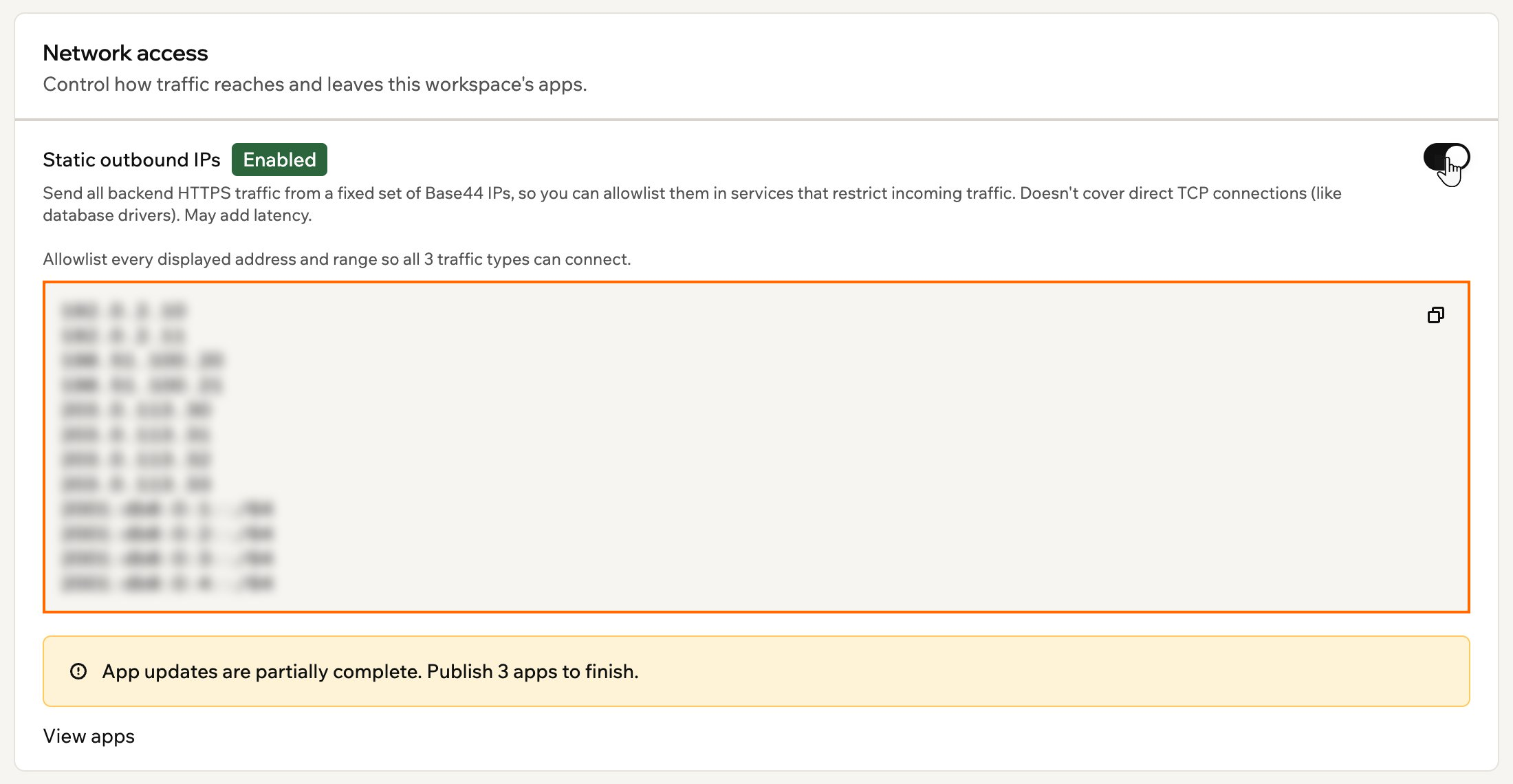
Copying the static outbound IP addresses
Finishing the rollout
Turning the setting on updates every app in your workspace so its traffic goes out through the static IPs. While that runs, the setting shows Enabling… and a progress bar counts the app workers as they update. It shows Enabled once every app is done. Some apps need you to publish them before they can finish. When that happens, Base44 shows how many apps are waiting. Click View apps to see each app and its status:- Updating: The app is still switching over.
- Pending publish: Publish the app and it finishes updating automatically.
- Failed: The update didn’t go through. Click Retry updates to try again.
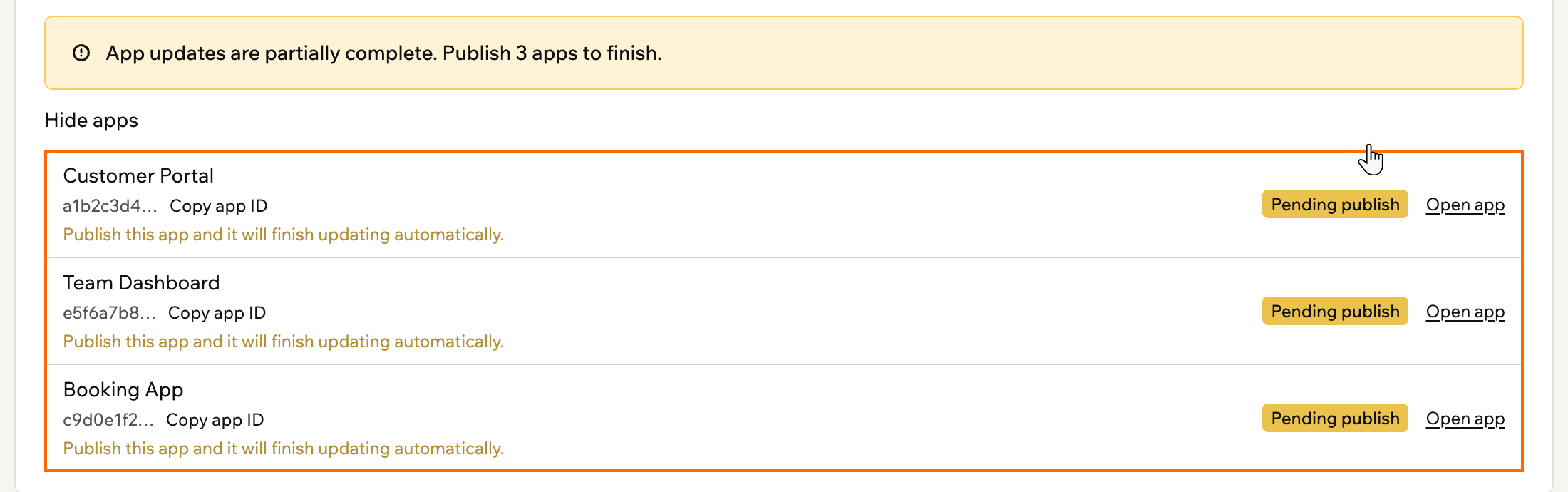
Finishing the rollout by publishing each pending app