> ## Documentation Index
> Fetch the complete documentation index at: https://docs.base44.com/llms.txt
> Use this file to discover all available pages before exploring further.
# Promoting your app
> Generate a social promotion strategy and ready-to-post content for your app.
Use Social content to promote your app with ready-to-post content. Define your goal, identify your target audience, and get platform-specific posts you can share right away.
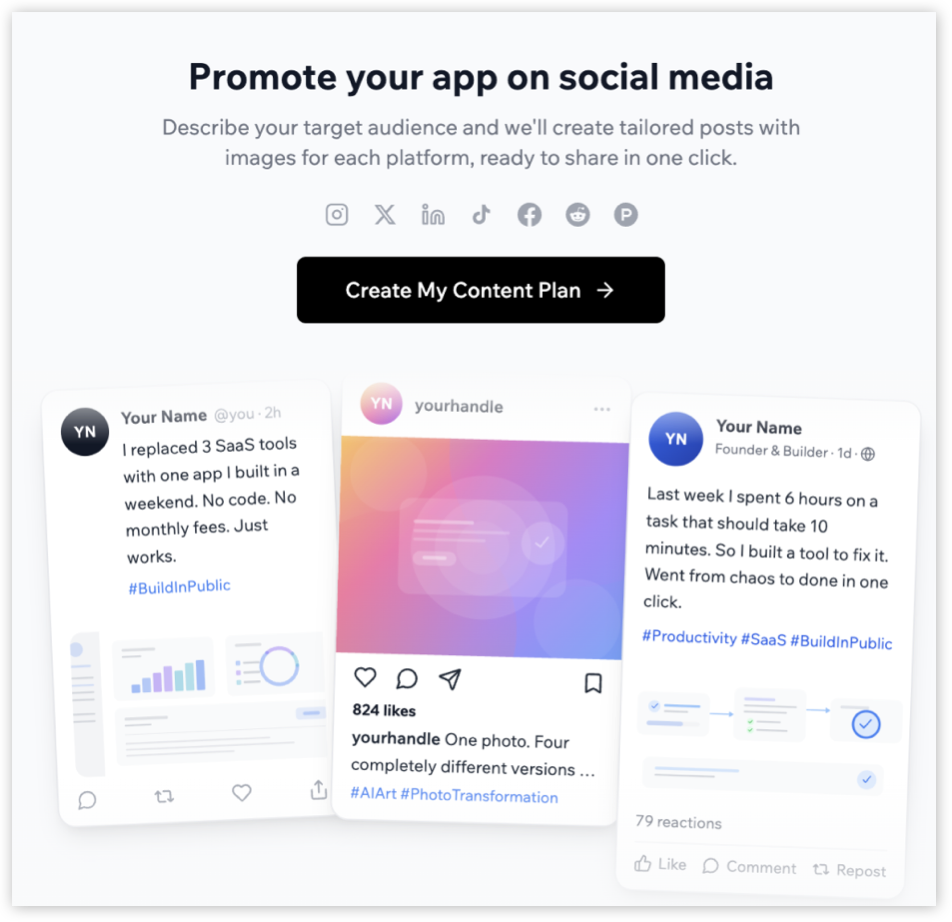 Base44 analyzes your app and generates a tailored strategy, including the best platforms for your goal. You can review and adjust the selection before generating posts.
***
## Getting started with social content
Start by defining your launch goal and the audience you want to reach first.
**To create your content strategy:**
1. Click **Dashboard** in your app editor.
2. Click **Marketing** in the left menu.
3. Click **Social content**.
4. Click **Get started**.
5. Select your launch goal, and click **Continue**.
6. Select your target audience.
7. Click **Let's go**.
Base44 analyzes your app and generates a tailored strategy, including the best platforms for your goal. You can review and adjust the selection before generating posts.
***
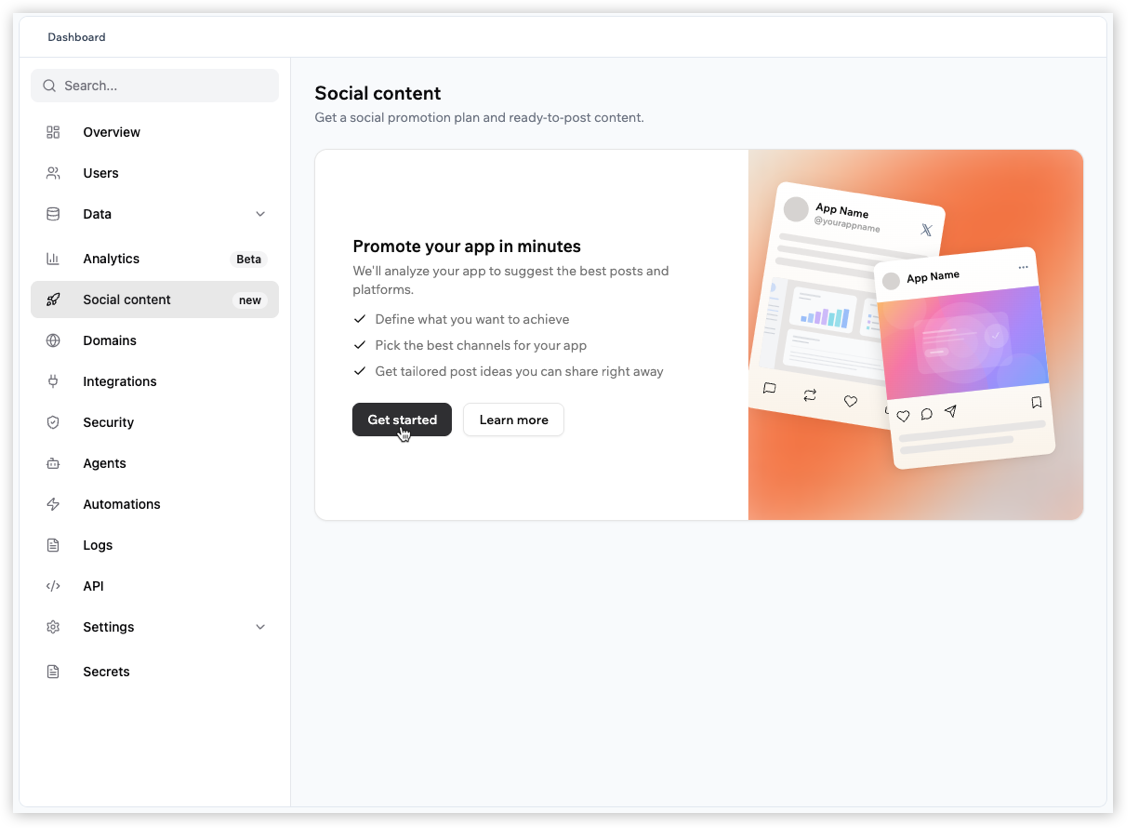
## Getting started with social content
Start by defining your launch goal and the audience you want to reach first.
**To create your content strategy:**
1. Click **Dashboard** in your app editor.
2. Click **Marketing** in the left menu.
3. Click **Social content**.
4. Click **Get started**.
5. Select your launch goal, and click **Continue**.
6. Select your target audience.
7. Click **Let's go**.
 ***
## Reviewing your suggested strategy
After choosing your goal and audience, Base44 suggests a strategy and pre-selects up to 3 platforms for your app. Review the suggested approach, confirm the selected platforms, and optionally add a social profile link to help Base44 match your tone.
Click **Back** if you want to return and change your goal or audience.
**To review and generate posts:**
1. Review your goal and suggested approach.
2. (Optional) Click **Edit selection** to change the selected platforms.
3. (Optional) Under **Match your tone**, paste a link to one of your social profiles. Base44 uses it to adapt the posts to your voice.
4. Click **Generate posts**.
***
## Reviewing your suggested strategy
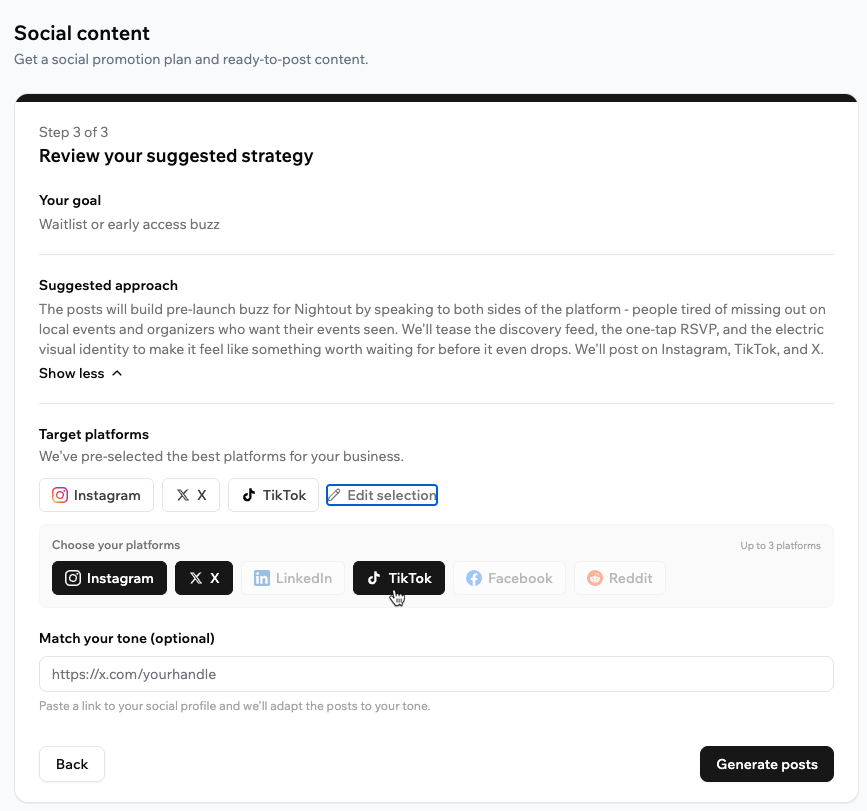
After choosing your goal and audience, Base44 suggests a strategy and pre-selects up to 3 platforms for your app. Review the suggested approach, confirm the selected platforms, and optionally add a social profile link to help Base44 match your tone.
Click **Back** if you want to return and change your goal or audience.
**To review and generate posts:**
1. Review your goal and suggested approach.
2. (Optional) Click **Edit selection** to change the selected platforms.
3. (Optional) Under **Match your tone**, paste a link to one of your social profiles. Base44 uses it to adapt the posts to your voice.
4. Click **Generate posts**.
 ***
## Sharing your social content
Base44 generates platform-specific ready-to-post content based on your selected strategy. For each selected platform, Base44 creates 3 post variations so you can review and choose the version that works best.
Each post card includes generated copy, a suggested visual, and actions to edit, copy, or share the content.
**To share a post:**
1. Click the tab for the platform you want.
2. Review the 3 generated post variations.
3. (Optional) Click the **Edit** icon to update the post. In the edit window, you can update the text, click **Improve with AI**, or click **Regenerate image**. Click **Save changes** when done.
4. (Optional) Click **Download Content** to save all generated images and text files.
5. Use **Share** on supported platforms, or click **Copy** to copy the post text and post it on the platform.
***
## Sharing your social content
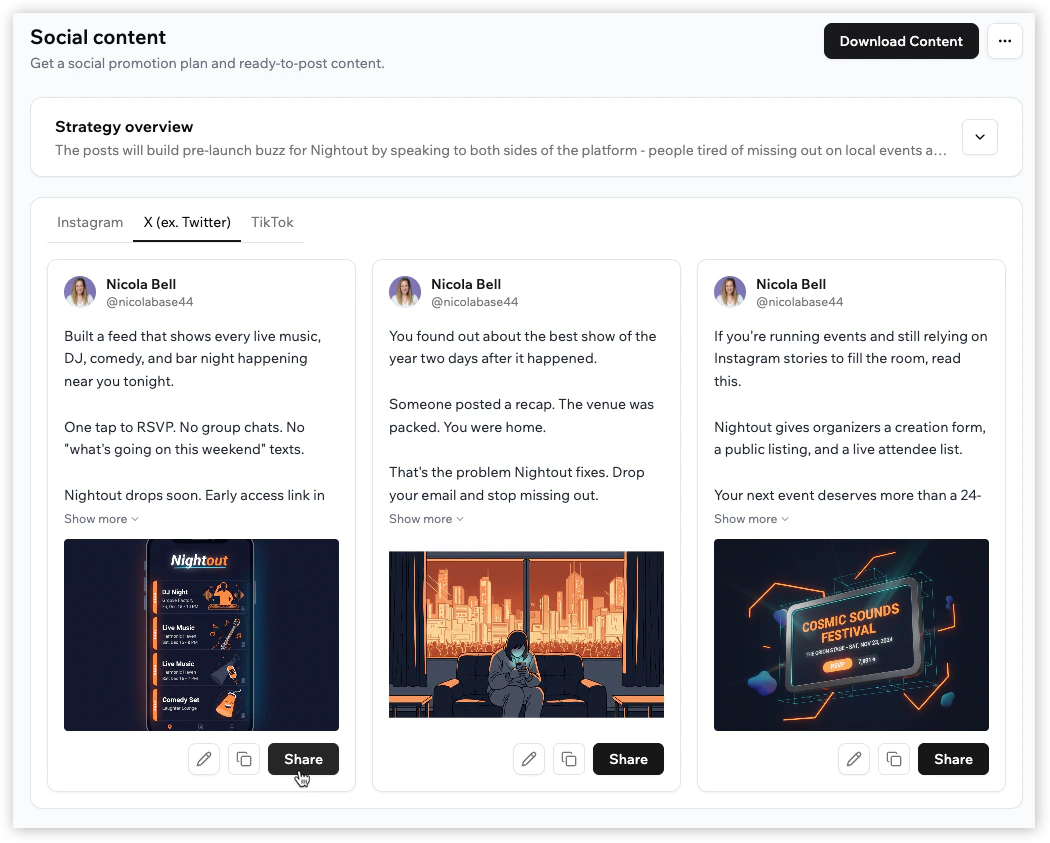
Base44 generates platform-specific ready-to-post content based on your selected strategy. For each selected platform, Base44 creates 3 post variations so you can review and choose the version that works best.
Each post card includes generated copy, a suggested visual, and actions to edit, copy, or share the content.
**To share a post:**
1. Click the tab for the platform you want.
2. Review the 3 generated post variations.
3. (Optional) Click the **Edit** icon to update the post. In the edit window, you can update the text, click **Improve with AI**, or click **Regenerate image**. Click **Save changes** when done.
4. (Optional) Click **Download Content** to save all generated images and text files.
5. Use **Share** on supported platforms, or click **Copy** to copy the post text and post it on the platform.
 To generate a different set of posts, click the **More Actions** icon at the top right, select **Start Fresh**, and then click **Generate New Plan**. This replaces your current posts and edits, and cannot be undone.
***
## FAQs
It depends on the platform. Base44 supports direct sharing for **X**, **Reddit**, and **LinkedIn**. For **Facebook**, **Instagram**, and **TikTok**, copy the post content and post it on the platform.
Yes. Click the **Edit** icon on any post card to update the text, use **Improve with AI**, or click **Regenerate image** to create a new visual.
Yes. Click **Download Content** to download the generated assets, including text files and images for each platform.
Base44 analyzes your app and pre-selects up to 3 platforms from Instagram, X, LinkedIn, TikTok, Facebook, and Reddit based on your goal and target audience. You can edit the selection before generating posts.
The generated content changes to match the tone and format of each platform. You can review and edit the suggested platform selection before generating posts.
You can select up to 3 target platforms when reviewing the suggested strategy.
No. Social content does not require connecting your social media accounts. It generates strategy and posts you can publish wherever you like.
Yes. The generated posts can be adapted for any platform.
Generating a social content plan uses 10 integration credits.
Using **Improve with AI** or **Regenerate image** on an existing post costs 1 integration credit.
To generate a different set of posts, click the **More Actions** icon at the top right, select **Start Fresh**, and then click **Generate New Plan**. This replaces your current posts and edits, and cannot be undone.
***
## FAQs
It depends on the platform. Base44 supports direct sharing for **X**, **Reddit**, and **LinkedIn**. For **Facebook**, **Instagram**, and **TikTok**, copy the post content and post it on the platform.
Yes. Click the **Edit** icon on any post card to update the text, use **Improve with AI**, or click **Regenerate image** to create a new visual.
Yes. Click **Download Content** to download the generated assets, including text files and images for each platform.
Base44 analyzes your app and pre-selects up to 3 platforms from Instagram, X, LinkedIn, TikTok, Facebook, and Reddit based on your goal and target audience. You can edit the selection before generating posts.
The generated content changes to match the tone and format of each platform. You can review and edit the suggested platform selection before generating posts.
You can select up to 3 target platforms when reviewing the suggested strategy.
No. Social content does not require connecting your social media accounts. It generates strategy and posts you can publish wherever you like.
Yes. The generated posts can be adapted for any platform.
Generating a social content plan uses 10 integration credits.
Using **Improve with AI** or **Regenerate image** on an existing post costs 1 integration credit.