> ## Documentation Index
> Fetch the complete documentation index at: https://docs.base44.com/llms.txt
> Use this file to discover all available pages before exploring further.

# Base44 Developer Platform

> Build and deploy full-stack apps with a managed backend designed for AI agents.

<style>
  {`
    .top-cards {
      animation: inlineFadeIn 0.2s ease-out 0.15s forwards;
    }
    @keyframes inlineFadeIn {
      to { opacity: 1; }
    }
    /* Force 2-column grid before Tailwind loads */
    .top-cards > div {
      display: grid !important;
      grid-template-columns: repeat(2, 1fr) !important;
      gap: 1rem !important;
    }
    @media (max-width: 640px) {
      .top-cards > div {
        grid-template-columns: 1fr !important;
      }
    }
    `}
</style>

## Start building with Base44

<div class="top-cards" style={{ opacity: 0 }}>
  <CardGroup cols={2}>
    <Card title="Backend Platform" icon="server" iconType="light" href="/developers/backend/overview/introduction">
      Managed backend designed for AI agents. Define everything in code.

      [Explore >](/developers/backend/overview/introduction)
    </Card>

    <Card title="App Code" icon="code" iconType="light" href="/developers/app-code/overview/introduction">
      Customize Base44-generated apps using developer tools.

      [Explore >](/developers/app-code/overview/introduction)
    </Card>

    <Card title="CLI" icon="terminal" iconType="light" href="/developers/references/cli/get-started/overview">
      Create backend projects from the command line.

      [Explore >](/developers/references/cli/get-started/overview)
    </Card>

    <Card title="SDK Reference" icon="brackets-curly" iconType="light" href="/developers/references/sdk/getting-started/overview">
      Access Base44 services from frontend or backend code.

      [Explore >](/developers/references/sdk/getting-started/overview)
    </Card>
  </CardGroup>
</div>

## Backend Platform

The same backend that powers Base44's app editor, available as a standalone service. Build with any frontend framework while Base44 handles:

* **[Data management](/developers/backend/resources/entities/overview)**: Store and query data with flexible schemas and realtime updates
* **[Backend functions](/developers/backend/resources/backend-functions/overview)**: Custom server-side logic in a secure runtime
* **[AI agents](/developers/backend/resources/agents-config)**: Define AI assistants with custom tools and data permissions
* **[Integrations](/developers/references/sdk/docs/type-aliases/integrations)**: Pre-built connections to AI, email, file storage, and more
* **[Authentication](/developers/references/sdk/docs/interfaces/auth)**: Built-in login, social auth, and session handling
* **[Hosting](/developers/references/cli/commands/deploy)**: Deploy with a single command, automatic HTTPS included

### Get started

Get started by letting an AI coding agent set up your project, or set it up yourself with the CLI and then continue building with AI.

<Tabs>
  <Tab title="Let AI set it up">
    Install [Base44 skills](/developers/backend/overview/skills) so your coding agent can assist with Base44 development:

    ```bash theme={null}
    npx skills add base44/skills -g
    ```

    Then open your AI coding tool and try a prompt like this:

    *"Create a new Base44 project for a task management app with users, tasks with due dates and priority levels, and team assignments. Add authentication and deploy it."*

    Your agent will install the CLI, create the project, define entities, write code, and deploy. [Learn more about skills >](/developers/backend/overview/skills)

    <Note>You may be prompted to authenticate with Base44 during setup.</Note>
  </Tab>

  <Tab title="Set it up yourself">
    To set up a backend project yourself, run the following commands:

    <CodeGroup>
      ```bash Get started theme={null}
      npm install -g base44@latest  # Install the CLI
      base44 login                  # Authenticate
      base44 create                 # Create a project
      ```
    </CodeGroup>

    Your project comes with [Base44 skills](/developers/backend/overview/skills) pre-installed. Open the project with your AI coding tool and describe what you want to build next, or explore the documentation to understand how your project is structured and what you can build.

    Or start with one of our templates:

    <CardGroup cols={3}>
      <Card title="Create a backend-only project" icon="server" iconType="light" href="/developers/backend/quickstart/quickstart-backend-only" />

      <Card title="Create a project with React" icon="react" href="/developers/backend/quickstart/quickstart-with-react" />

      <Card title="View example apps" icon="arrow-up-right-from-square" iconType="light" href="https://github.com/base44/apps-examples" />
    </CardGroup>
  </Tab>
</Tabs>

## Develop and debug your app

<Tabs>
  <Tab title="Code Tab">
    <div class="tab-columns">
      <div class="tab-text">
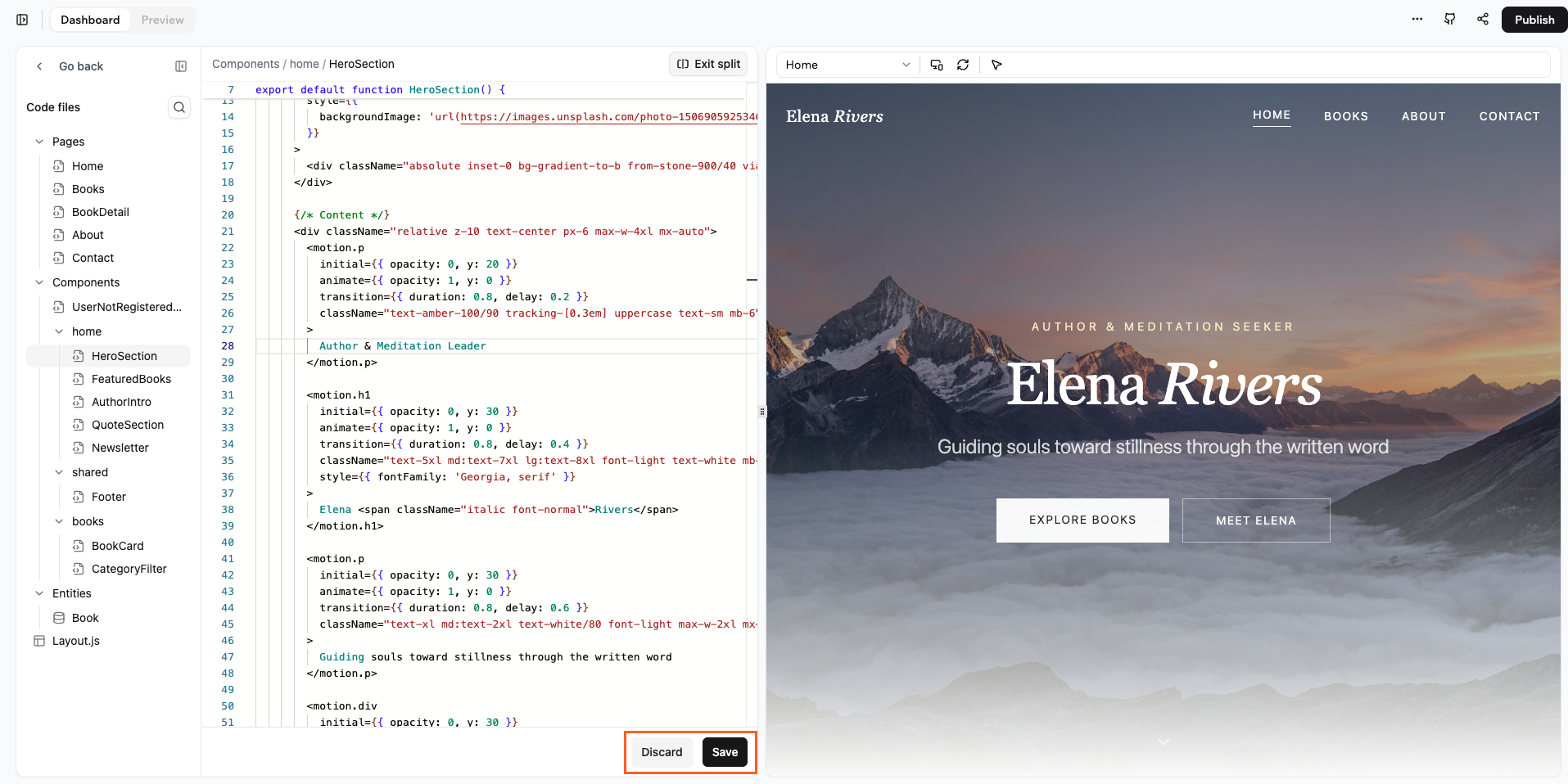
        <h3 style={{ marginTop: 0 }}>Work directly in your code</h3>

        The Code tab lets you view and edit your app's source code directly, giving you control over your app's functionality, design, and behavior while seeing changes immediately.

        <br />

        [Learn More >](/developers/app-code/editor/code-tab)
      </div>

      <div class="tab-visual">
        <Frame caption="The Code tab interface">
          <img src="https://mintcdn.com/base44/HSXlsKQvBkYN-DXR/codeer.png?fit=max&auto=format&n=HSXlsKQvBkYN-DXR&q=85&s=845561c033d8e1acadf501429ed5efbb" alt="The Code tab interface" width="1915" height="958" data-path="codeer.png" />
        </Frame>
      </div>
    </div>
  </Tab>

  <Tab title="Activity Monitor">
    <div class="tab-columns">
      <div class="tab-text">
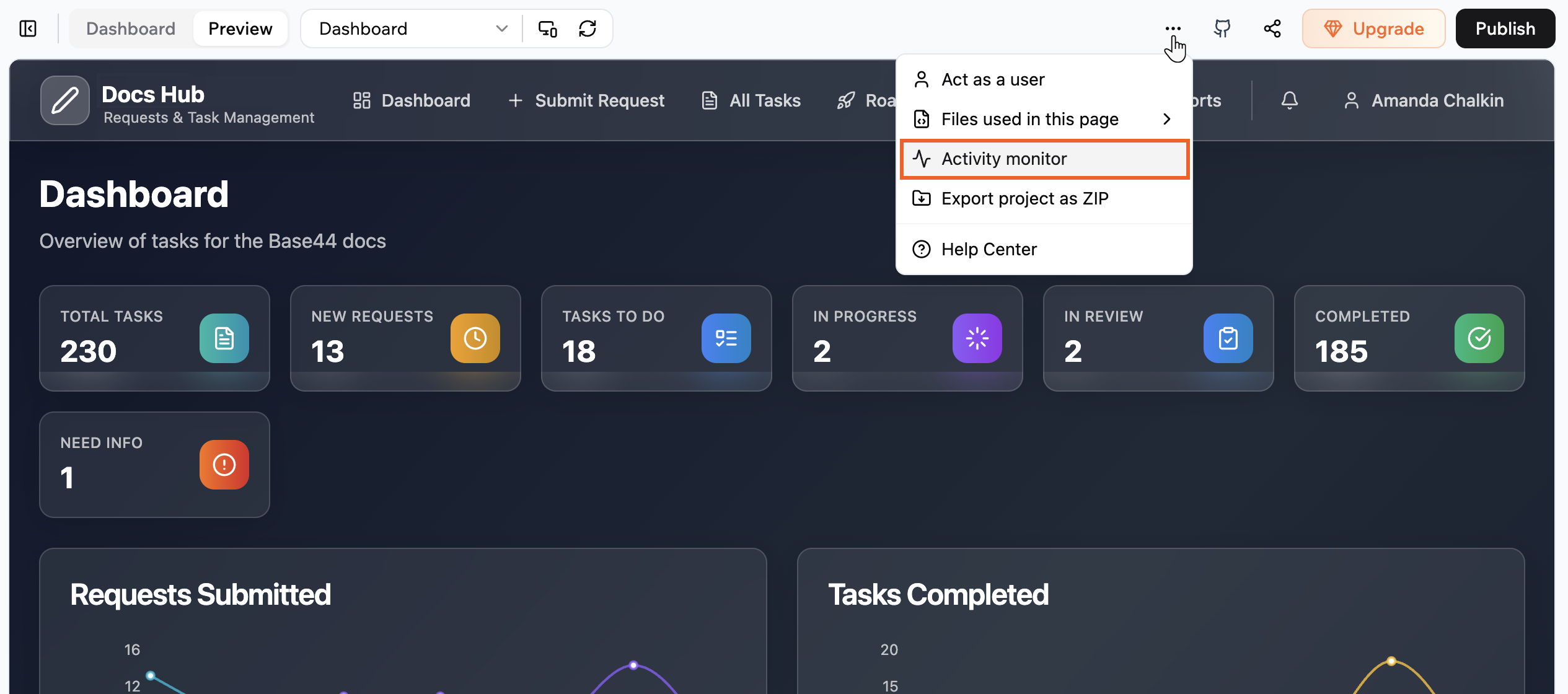
        <h3 style={{ marginTop: 0 }}>Debug and monitor API requests</h3>

        The Activity Monitor shows every request your app makes while you are in preview. Check which endpoints are called, see status codes and timing, and inspect request and response details to debug problems.

        <br />

        [Learn More >](/developers/app-code/editor/activity-monitor)
      </div>

      <div class="tab-visual">
        <Frame caption="The Activity Monitor">
          <img src="https://mintcdn.com/base44/sBFooTVX9PqzuSkM/images/activitymontior.png?fit=max&auto=format&n=sBFooTVX9PqzuSkM&q=85&s=fa6d4999b690a782ecdebbf74881b255" alt="The Activity Monitor" width="2530" height="1120" data-path="images/activitymontior.png" />
        </Frame>
      </div>
    </div>
  </Tab>

  <Tab title="GitHub Integration">
    <div class="tab-columns">
      <div class="tab-text">
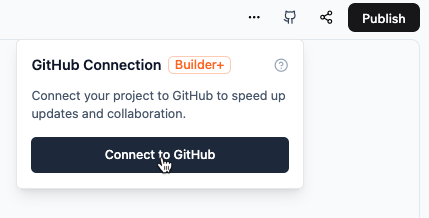
        <h3 style={{ marginTop: 0 }}>Connect your app to GitHub</h3>

        Connect your app to GitHub to write code in your local development environment or in Base44 and keep them in sync with each other.

        <br />

        [Learn More >](/developers/app-code/local-development/github)
      </div>

      <div class="tab-visual">
        <Frame caption="GitHub 2-way sync">
          <img src="https://mintcdn.com/base44/8-JwIy7QUSD-rZKI/images/ConnectGitHub.png?fit=max&auto=format&n=8-JwIy7QUSD-rZKI&q=85&s=4ec089fc2931c1bdfb98c4aca283182b" alt="GitHub connection prompt" className="mx-auto" width="429" height="218" data-path="images/ConnectGitHub.png" />
        </Frame>
      </div>
    </div>
  </Tab>

  <Tab title="Project Structure">
    <div class="tab-columns">
      <div class="tab-text">
        <h3 style={{ marginTop: 0 }}>Understand your app's file organization</h3>

        Base44 apps are standard React apps built with Vite. Your project includes modern web development tools and seamless Base44 backend integration.

        <br />

        [Learn More >](/developers/app-code/overview/project-structure)
      </div>

      <div class="tab-visual">
        <Frame caption="Project file structure">
          <div style={{ backgroundColor: '#f1f5f9', padding: '1.25rem', borderRadius: '0.75rem', border: '1px solid #e2e8f0' }}>
            <Tree>
              <Tree.Folder name="src" defaultOpen>
                <Tree.Folder name="pages" />

                <Tree.Folder name="components" />

                <Tree.Folder name="api" />

                <Tree.Folder name="hooks" />

                <Tree.Folder name="lib" />

                <Tree.Folder name="utils" />
              </Tree.Folder>

              <Tree.Folder name="entities" />

              <Tree.Folder name="functions" />
            </Tree>
          </div>
        </Frame>
      </div>
    </div>
  </Tab>
</Tabs>

## MCP servers

Base44 provides two MCP servers: one for building and managing backend projects, and one for searching the documentation.

```json theme={null}
{
  "mcpServers": {
    "base44": {
      "type": "http",
      "url": "https://app.base44.com/mcp"
    },
    "base44-docs": {
      "type": "http",
      "url": "https://docs.base44.com/mcp"
    }
  }
}
```

* **[Base44 MCP server](/developers/backend/overview/mcp-server)** (`app.base44.com/mcp`): Create and manage projects, list your projects, and query project data. Requires OAuth sign-in.
* **[Docs MCP server](/developers/backend/overview/base44-docs-mcp)** (`docs.base44.com/mcp`): Search Base44 documentation from your AI tool. No authentication required.

## Explore

<CardGroup cols={2}>
  <Card title="Edit generated code" icon="code" iconType="light" href="/developers/app-code/editor/code-tab" horizontal />

  <Card title="Add serverless functions" icon="function" iconType="light" href="/developers/backend/resources/backend-functions/overview" horizontal />

  <Card title="Define data models" icon="database" iconType="light" href="/developers/backend/resources/entities/overview" horizontal />

  <Card title="Deploy a project" icon="rocket" iconType="light" href="/developers/references/cli/commands/deploy" horizontal />

  <Card title="User authentication" icon="key" iconType="light" href="/developers/references/sdk/docs/interfaces/auth" horizontal />

  <Card title="Configure AI agents" icon="robot" iconType="light" href="/developers/backend/resources/agents-config" horizontal />
</CardGroup>
