> ## Documentation Index
> Fetch the complete documentation index at: https://docs.base44.com/llms.txt
> Use this file to discover all available pages before exploring further.
# Creating and using your app on mobile
> Create, edit, and manage your Base44 app from your mobile device. Let anyone open and use your app right from their own home screen, just like a native app.
Base44 gives you full flexibility on mobile. Build and edit from a mobile browser or the Base44 app, share your app with users so they can add it to their home screen, and submit it to the App Store or Google Play when you're ready.
 ***
## Using Base44 from a mobile browser
You can create, edit, and manage your apps directly from a mobile browser, without needing to download anything. This lets you capture ideas, make quick changes, and keep your work moving wherever you are.
### Creating an app on mobile
Start a new app project wherever you are, using just your mobile device. This helps you capture ideas, build quickly, and manage your work even when you're away from your computer.
**To create a new app from your mobile browser:**
1. Open your browser on your mobile device.
2. Go to [**base44.com**](http://base44.com) and tap **Start Building.**
3. Sign up or log in.
4. Write your prompt and start building.
### Editing your app on mobile
Update your app directly from your mobile browser, making it easy to adjust content, add features, or make quick changes while on the go.
Some features such as connecting a domain and managing your app's security are not available on mobile. You need to go to a desktop to make changes to these.
**To edit your app from your mobile browser:**
1. Open your browser on your mobile device.
2. Go to [**base44.com**](http://base44.com) and tap **Start Building.**
3. Log in to your account.
4. Tap your app.
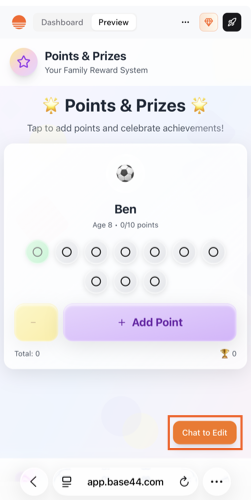
5. Tap **Chat to Edit** to make changes using AI.
***
## Using Base44 from a mobile browser
You can create, edit, and manage your apps directly from a mobile browser, without needing to download anything. This lets you capture ideas, make quick changes, and keep your work moving wherever you are.
### Creating an app on mobile
Start a new app project wherever you are, using just your mobile device. This helps you capture ideas, build quickly, and manage your work even when you're away from your computer.
**To create a new app from your mobile browser:**
1. Open your browser on your mobile device.
2. Go to [**base44.com**](http://base44.com) and tap **Start Building.**
3. Sign up or log in.
4. Write your prompt and start building.
### Editing your app on mobile
Update your app directly from your mobile browser, making it easy to adjust content, add features, or make quick changes while on the go.
Some features such as connecting a domain and managing your app's security are not available on mobile. You need to go to a desktop to make changes to these.
**To edit your app from your mobile browser:**
1. Open your browser on your mobile device.
2. Go to [**base44.com**](http://base44.com) and tap **Start Building.**
3. Log in to your account.
4. Tap your app.
5. Tap **Chat to Edit** to make changes using AI.
 ***
## Base44 mobile apps
Download the Base44 app to build, edit, and manage your apps on the go.
***
## Base44 mobile apps
Download the Base44 app to build, edit, and manage your apps on the go.
 ### Android
The Base44 Android app is available on Google Play. Download it to build, edit, and manage your apps directly from your Android device. [Download from Google Play](https://play.google.com/store/apps/details?id=com.base44.android\&pcampaignid=web_share)
### iOS
The Base44 iOS app is available on the Apple App Store. Download it to build, edit, and manage your apps directly from your iPhone or iPad. [Download from the App Store](https://apps.apple.com/il/app/base44-build-with-ai/id6757432427)
**Important:**
* The price shown in the iOS app may differ from the price on base44.com, as Apple applies its own fees.
* To manage, change, or cancel your subscription, go to your Apple ID subscription settings. You cannot do this from your Base44 account.
* If you have a billing issue with a subscription purchased through the iOS app, you need to contact Apple Support directly. We are not able to help with billing issues processed by Apple.
***
## Sharing and installing your app
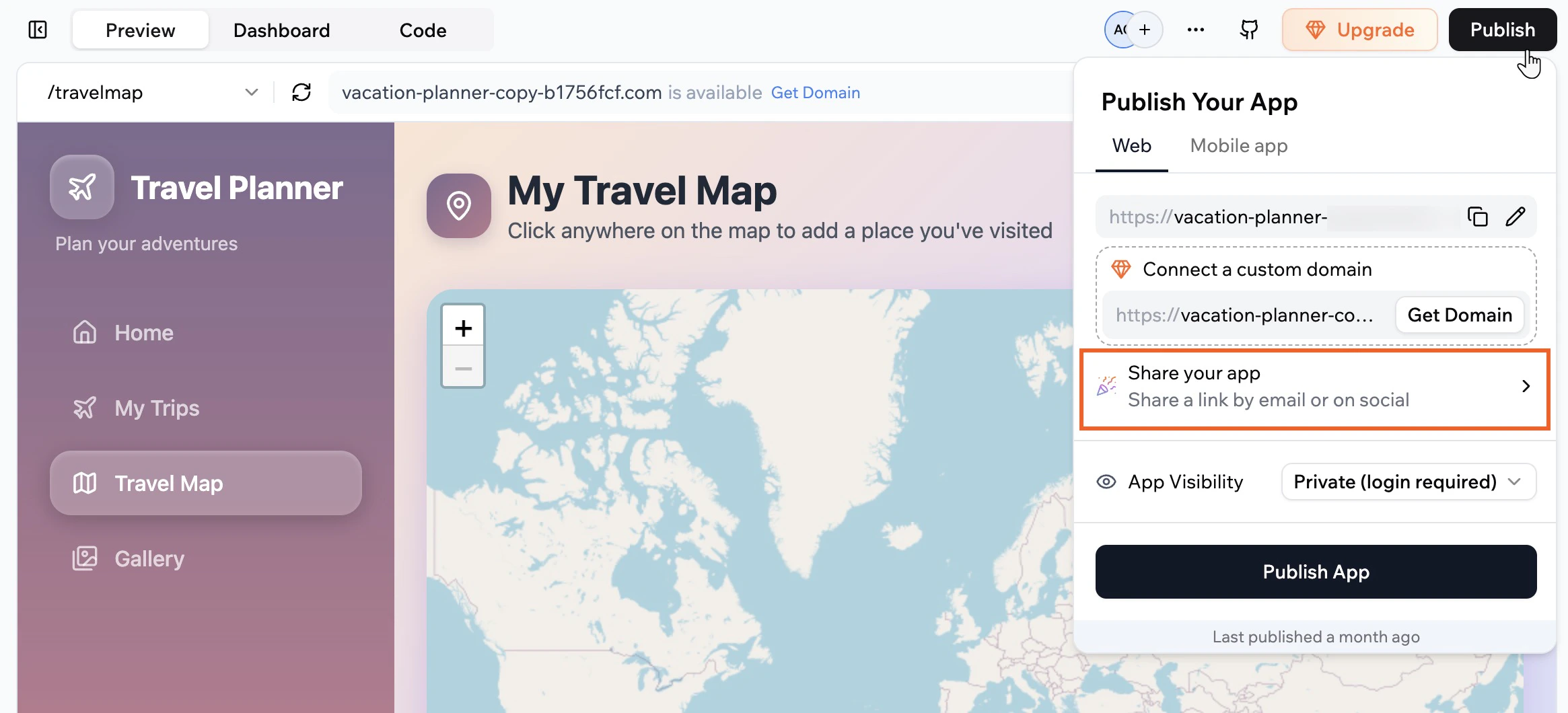
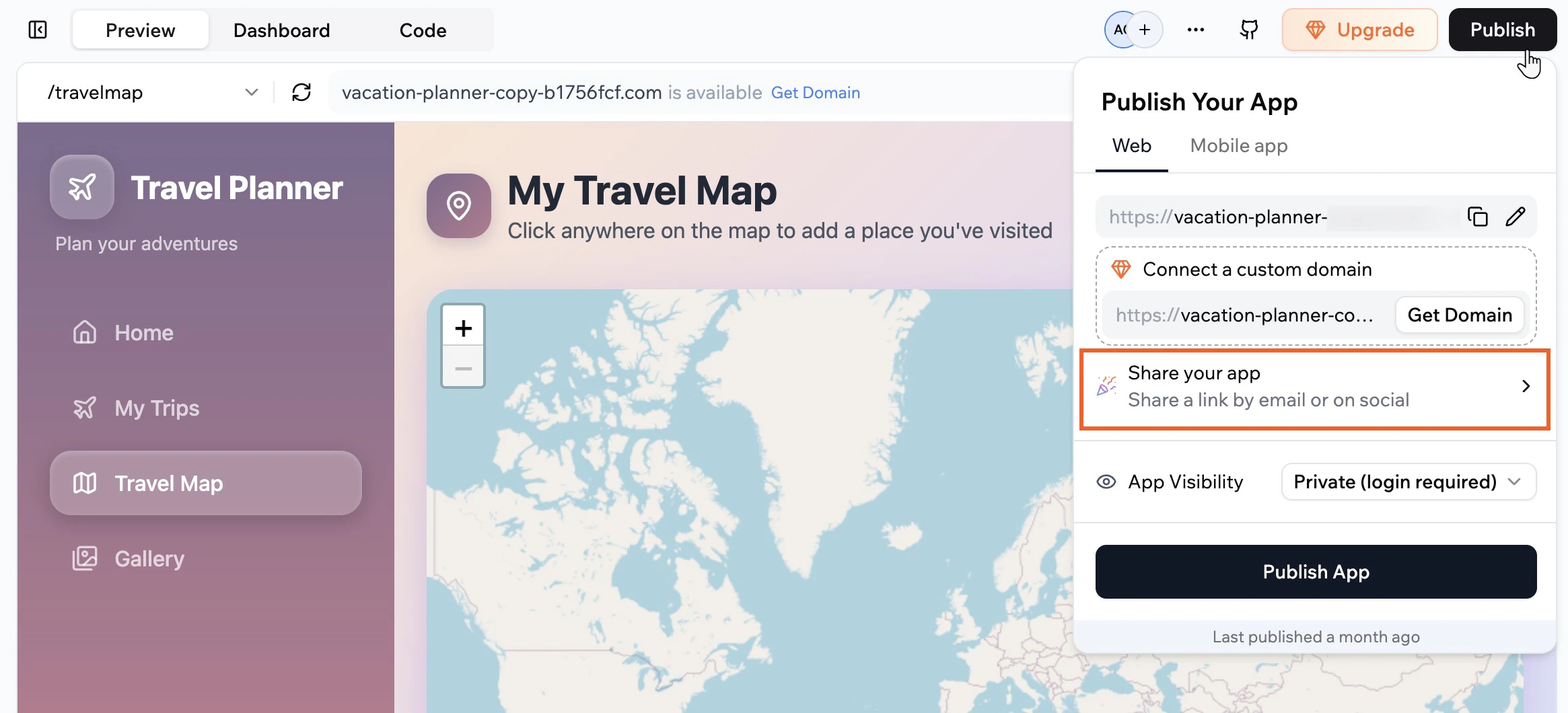
Your app works in any mobile browser without needing to be in an app store. [Share the link](https://docs.base44.com/Setting-up-your-app/Managing-access#sharing-your-app) to your published app and let your users know they do not need to download anything.
### Android
The Base44 Android app is available on Google Play. Download it to build, edit, and manage your apps directly from your Android device. [Download from Google Play](https://play.google.com/store/apps/details?id=com.base44.android\&pcampaignid=web_share)
### iOS
The Base44 iOS app is available on the Apple App Store. Download it to build, edit, and manage your apps directly from your iPhone or iPad. [Download from the App Store](https://apps.apple.com/il/app/base44-build-with-ai/id6757432427)
**Important:**
* The price shown in the iOS app may differ from the price on base44.com, as Apple applies its own fees.
* To manage, change, or cancel your subscription, go to your Apple ID subscription settings. You cannot do this from your Base44 account.
* If you have a billing issue with a subscription purchased through the iOS app, you need to contact Apple Support directly. We are not able to help with billing issues processed by Apple.
***
## Sharing and installing your app
Your app works in any mobile browser without needing to be in an app store. [Share the link](https://docs.base44.com/Setting-up-your-app/Managing-access#sharing-your-app) to your published app and let your users know they do not need to download anything.
 For the best experience, recommend that your users add the app to their home screen. When someone adds your app to their home screen, their device uses your app's logo as the icon. It appears alongside other apps and opens with a single tap, just like a native app.
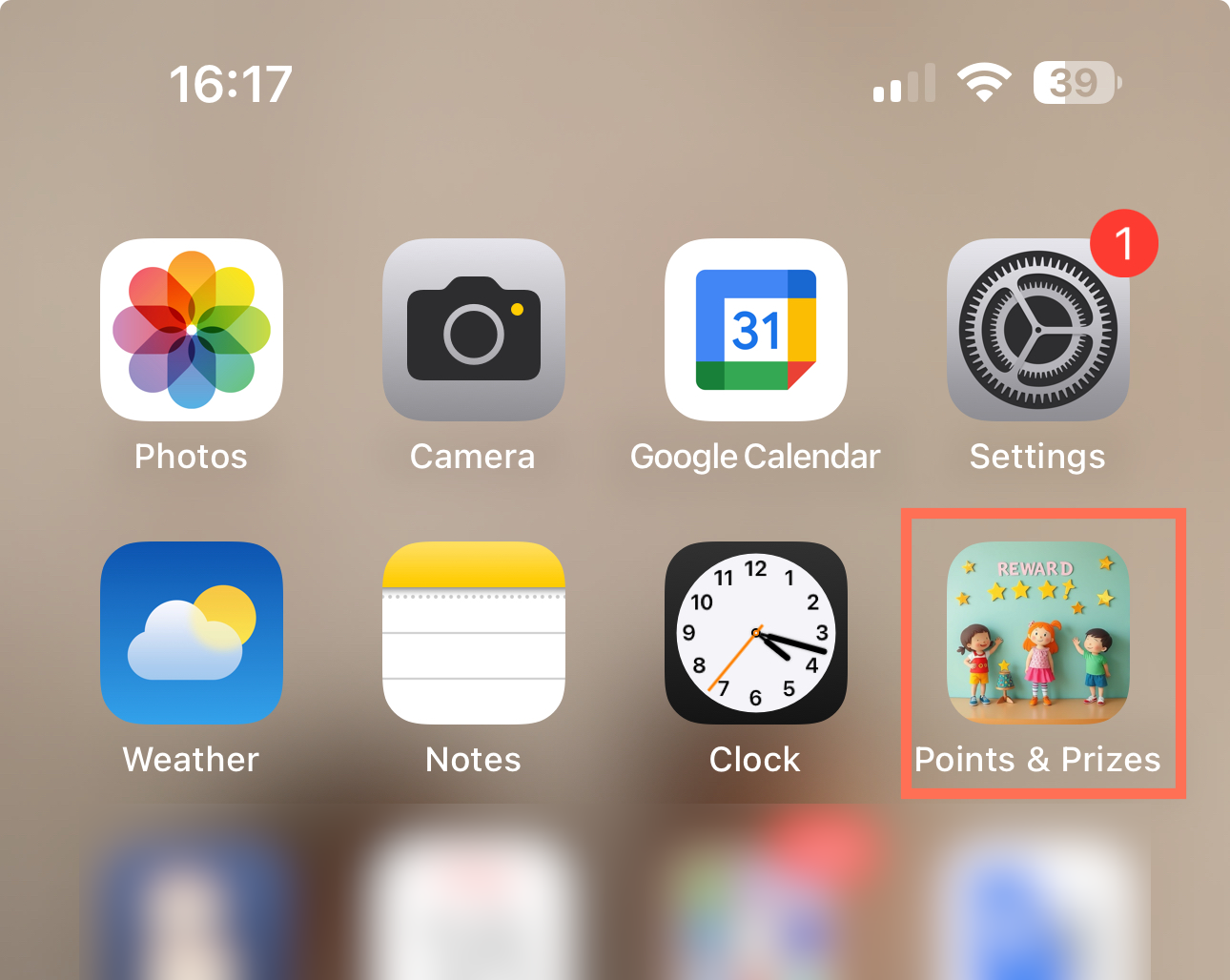 Your app updates automatically, so everyone opening it from the home screen always sees the latest version.
**To add your app to the home screen:**
1. Open the app link in your mobile browser.
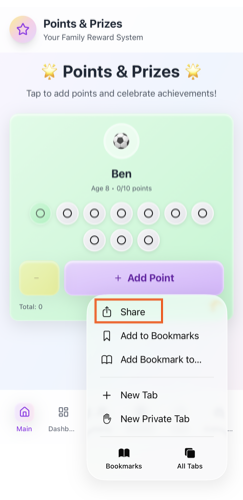
2. Tap the share option in your browser.
3. Tap **Add to Home Screen**.
4. Edit the shortcut name if you want, then tap **Add**.
Your app updates automatically, so everyone opening it from the home screen always sees the latest version.
**To add your app to the home screen:**
1. Open the app link in your mobile browser.
2. Tap the share option in your browser.
3. Tap **Add to Home Screen**.
4. Edit the shortcut name if you want, then tap **Add**.
 ***
## Submitting your app to app stores
You can prepare your app for the Apple App Store and Google Play directly from the app editor. Scan your app against store guidelines, use AI to fix issues, and generate the IPA and AAB files that you need to upload in your Apple and Google developer accounts.
You need a [Builder plan or higher](https://app.base44.com/billing) to download the files for app stores.
Learn how to [submit your app to app stores](/documentation/building-your-app/uploading-to-app-stores).
***
## Exporting your app
If you have a Builder plan or higher, you can export your app's code to GitHub or download it as a ZIP file. This lets you work with external tools and workflows outside of Base44.
You can then use third-party tools such as Capacitor, PWABuilder, or Trusted Web Activities (TWA) to wrap your app's URL or exported code, making it possible to distribute your app on mobile app stores. These wrappers are managed outside of Base44, and any native-only features like push notifications must be set up separately.
If you export your frontend and data, you can host the frontend elsewhere and connect it to your own backend system if you wish.
**Frontend (app codebase) and functions:** Your app's code by clicking the export button in the top-right corner of the app editor (GitHub or ZIP). The export includes all client-side code (HTML, CSS, JavaScript, assets) and backend functions.
**Backend (data):** Your database collections as CSV files. Go to **Data** in your app editor, select a collection, click the More Actions icon and then **Export**.
Managed hosting, authentication system, or database infrastructure.
For advanced help and community support, visit the [Base44 Discord community](https://discord.com/channels/1303811506080841758/1368653043071058100) to connect with other builders and share tips.
***
## FAQs
Click a question below to learn more about using your app on mobile.
Yes. Your app automatically adjusts its layout for any device, but you can fine-tune how it looks and works on mobile. See [Customizing your app for mobile](/documentation/building-your-app/design#customizing-your-app-for-mobile) in the design doc.
Push notifications are not currently supported in Base44 apps. There are no push notification settings in the dashboard or app settings. If you want native push notifications in the future, you can suggest or upvote this feature on the Feedback board.
[Add your vote on the feature request for push notifications.](https://feedback.base44.com/p/feature-request-native-push-notifications-support)
No. Any time you make or publish changes, your visitors automatically see the latest version.
Yes, every element, form, and feature of your app works on both desktop and mobile devices. We recommend testing your entire app on mobile and making any necessary adjustments in the app editor to ensure the best experience for your users.
You do not need to create or upload a manifest.json file for your app. Base44 automatically generates and manages the manifest.json for you.
You can view your app's manifest at:\
`https://yourdomain.com/api/apps/manifests/YOUR_APP_ID/manifest.json`
To change what appears in the manifest, update your app information instead of editing the file directly:
1. Go to your **App Dashboard** and click **Overview**.
2. Update your app name, descriptions, icons, and other branding details.
These changes are reflected automatically in your manifest.json file.
Some features in Base44 are only available from desktop so you can manage them more easily on a larger screen. These include Visual Edits, security settings (RLS), editing code, working with APIs, app templates, and more.
If you do not see a feature in the mobile app editor, open it from a desktop browser to access the full set of options.
***
## Submitting your app to app stores
You can prepare your app for the Apple App Store and Google Play directly from the app editor. Scan your app against store guidelines, use AI to fix issues, and generate the IPA and AAB files that you need to upload in your Apple and Google developer accounts.
You need a [Builder plan or higher](https://app.base44.com/billing) to download the files for app stores.
Learn how to [submit your app to app stores](/documentation/building-your-app/uploading-to-app-stores).
***
## Exporting your app
If you have a Builder plan or higher, you can export your app's code to GitHub or download it as a ZIP file. This lets you work with external tools and workflows outside of Base44.
You can then use third-party tools such as Capacitor, PWABuilder, or Trusted Web Activities (TWA) to wrap your app's URL or exported code, making it possible to distribute your app on mobile app stores. These wrappers are managed outside of Base44, and any native-only features like push notifications must be set up separately.
If you export your frontend and data, you can host the frontend elsewhere and connect it to your own backend system if you wish.
**Frontend (app codebase) and functions:** Your app's code by clicking the export button in the top-right corner of the app editor (GitHub or ZIP). The export includes all client-side code (HTML, CSS, JavaScript, assets) and backend functions.
**Backend (data):** Your database collections as CSV files. Go to **Data** in your app editor, select a collection, click the More Actions icon and then **Export**.
Managed hosting, authentication system, or database infrastructure.
For advanced help and community support, visit the [Base44 Discord community](https://discord.com/channels/1303811506080841758/1368653043071058100) to connect with other builders and share tips.
***
## FAQs
Click a question below to learn more about using your app on mobile.
Yes. Your app automatically adjusts its layout for any device, but you can fine-tune how it looks and works on mobile. See [Customizing your app for mobile](/documentation/building-your-app/design#customizing-your-app-for-mobile) in the design doc.
Push notifications are not currently supported in Base44 apps. There are no push notification settings in the dashboard or app settings. If you want native push notifications in the future, you can suggest or upvote this feature on the Feedback board.
[Add your vote on the feature request for push notifications.](https://feedback.base44.com/p/feature-request-native-push-notifications-support)
No. Any time you make or publish changes, your visitors automatically see the latest version.
Yes, every element, form, and feature of your app works on both desktop and mobile devices. We recommend testing your entire app on mobile and making any necessary adjustments in the app editor to ensure the best experience for your users.
You do not need to create or upload a manifest.json file for your app. Base44 automatically generates and manages the manifest.json for you.
You can view your app's manifest at:\
`https://yourdomain.com/api/apps/manifests/YOUR_APP_ID/manifest.json`
To change what appears in the manifest, update your app information instead of editing the file directly:
1. Go to your **App Dashboard** and click **Overview**.
2. Update your app name, descriptions, icons, and other branding details.
These changes are reflected automatically in your manifest.json file.
Some features in Base44 are only available from desktop so you can manage them more easily on a larger screen. These include Visual Edits, security settings (RLS), editing code, working with APIs, app templates, and more.
If you do not see a feature in the mobile app editor, open it from a desktop browser to access the full set of options.